> ## Documentation Index
> Fetch the complete documentation index at: https://infisical-devin-1781641701-docs-github-pat-fine-grained.mintlify.site/llms.txt
> Use this file to discover all available pages before exploring further.
# Spring Boot with Maven
> How to use Infisical to inject environment variables into Java Spring Boot
Prerequisites:
* Set up and add your environment variables to [Infisical Cloud](https://app.infisical.com)
* [Install the CLI](/cli/overview)
## Initialize Infisical
In order for Infisical to know which secrets to fetch, you'll need to first initialize Infisical at the root of your project.
```bash theme={null}
# navigate to the root of your of your project
cd /path/to/project
# then initialize Infisical
infisical init
```
## Start your application with Maven wrapper
To pass in Infisical secrets into your application, we will utilize the Infisical CLI to inject the secrets into the Maven wrapper executable, which is used to launch your application.
The Maven wrapper executable should already be present in the root directory of your project.
```bash theme={null}
infisical run -- ./mvnw spring-boot:run --quiet
```
#### Accessing injected secrets
```java example.java theme={null}
...
import org.springframework.core.env.Environment;
@SpringBootApplication
public class DemoApplication {
@Autowired
private Environment env;
@Bean
public void someMethod() {
System.out.println(env.getProperty("SOME_SECRET_NAME"));
};
}
```
## Debugging with secrets
During the process of debugging your code, it may be necessary to have certain environment variables available. To inject these variables for the purpose of debugging, please follow the instructions provided below.
Note that these instructions are currently only available for IntelliJ.
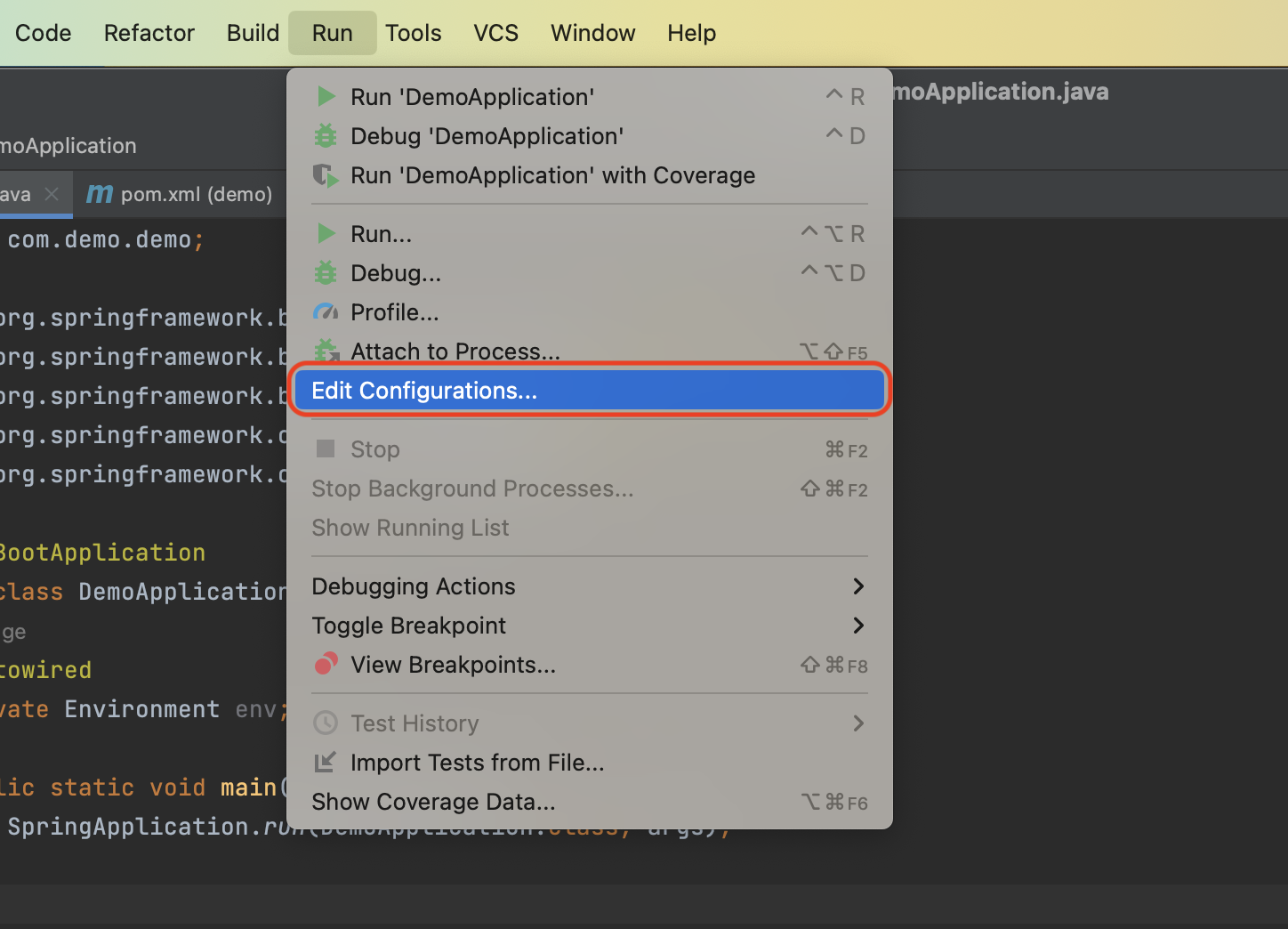
**Step 1:** On the main tool bar, choose Edit Configuration
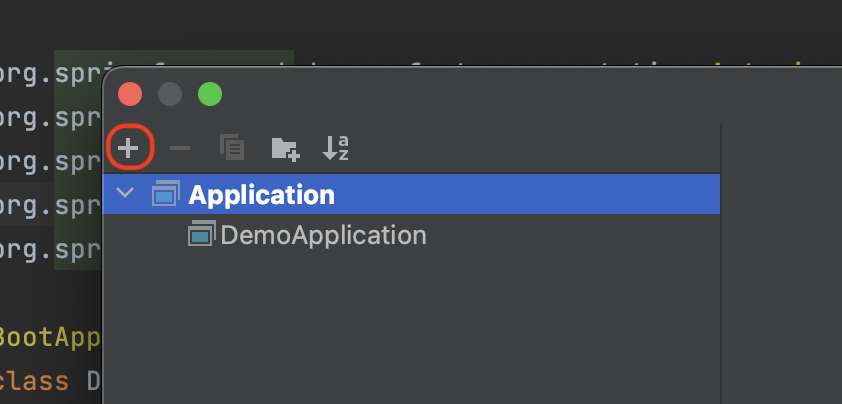
 **Step 2:** Click the plus icon
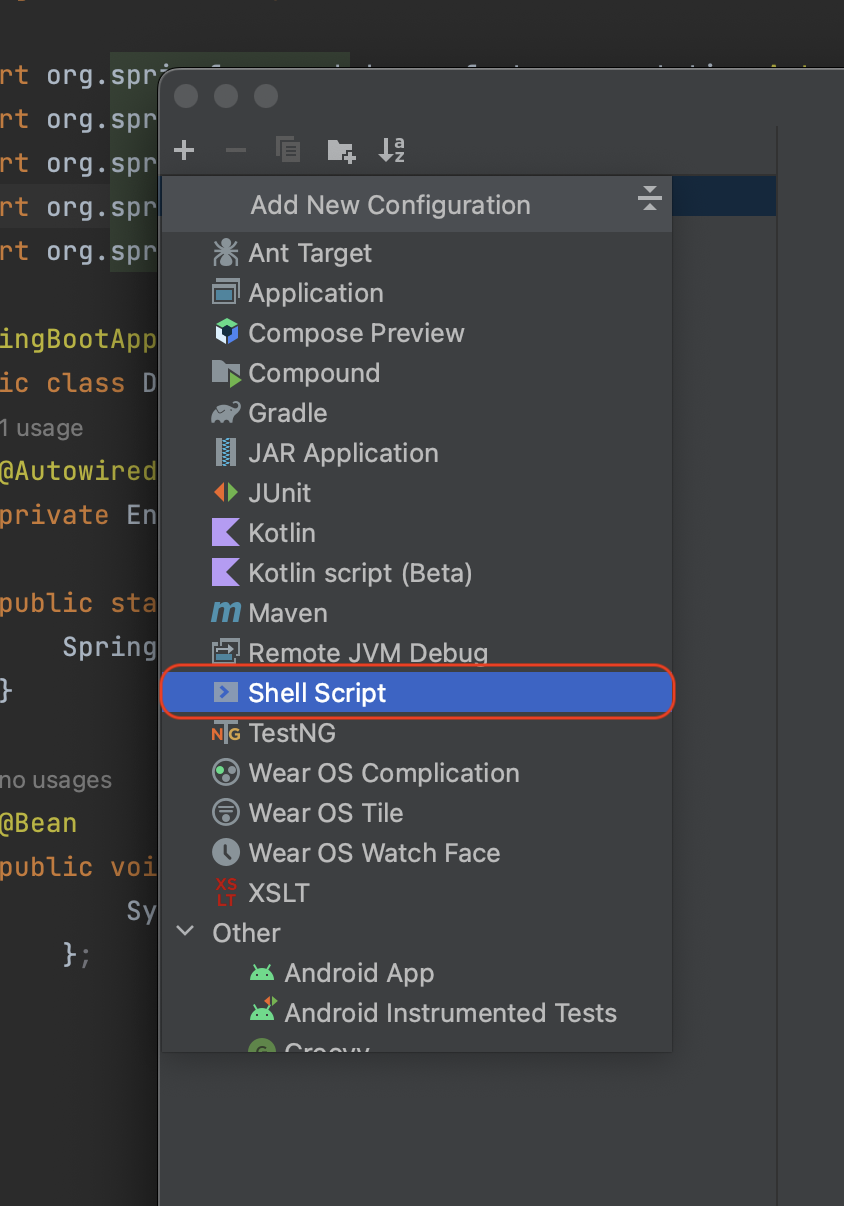
 **Step 3:** Select Shell Script
 **Step 4:** Choose Script Text and then paste in the command below.
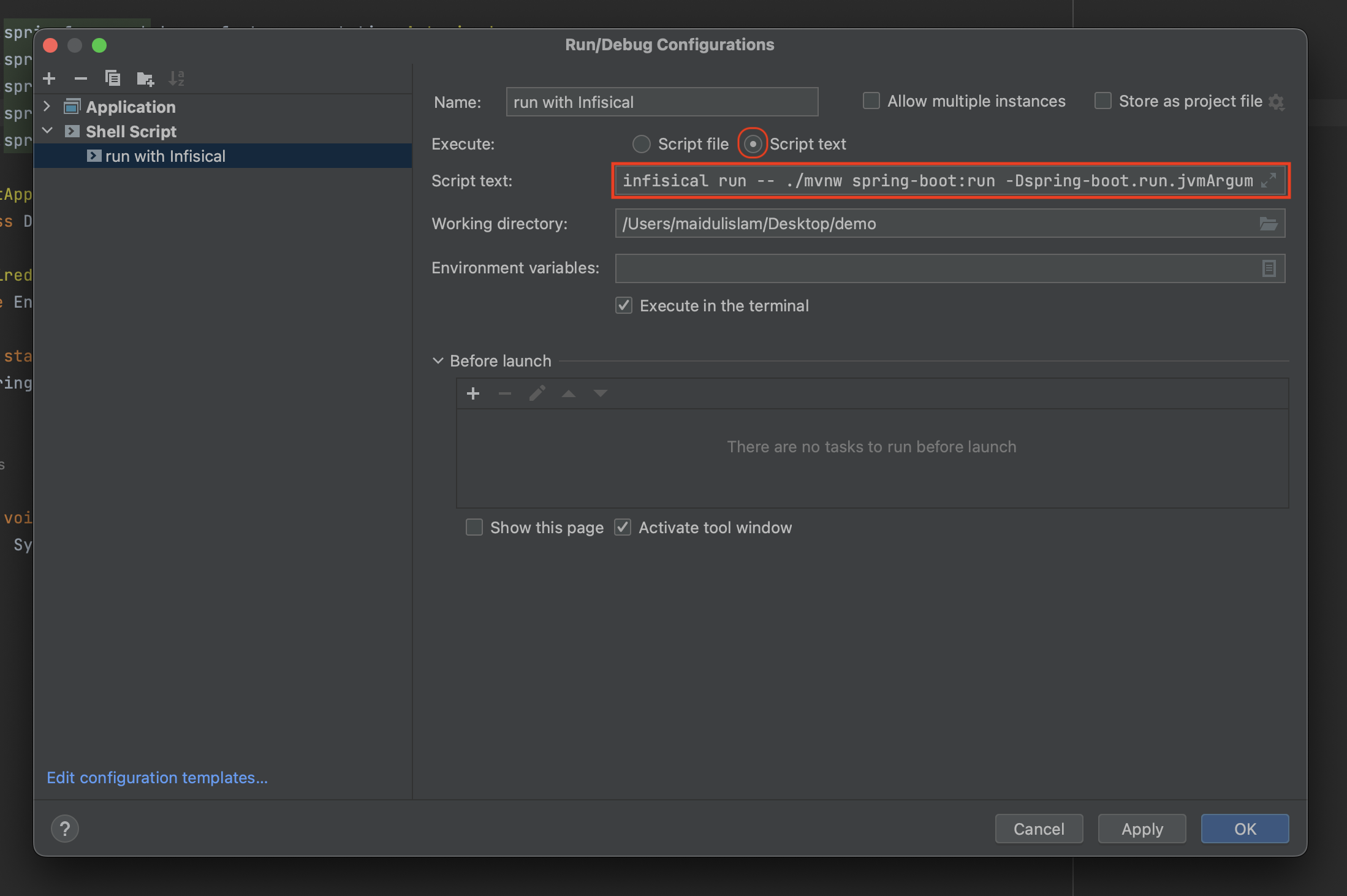 ```
infisical run -- ./mvnw spring-boot:run -Dspring-boot.run.jvmArguments="-Xdebug -Xrunjdwp:transport=dt_socket,server=y,suspend=n,address=*:5005"
```
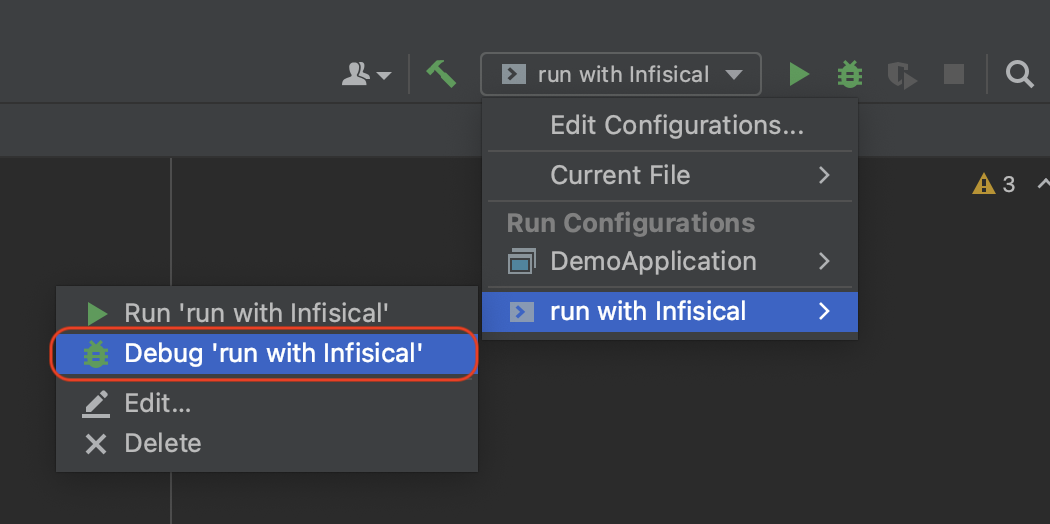
**Step 5:** When you need to run a block of code in debug mode, select the Infisical script
```
infisical run -- ./mvnw spring-boot:run -Dspring-boot.run.jvmArguments="-Xdebug -Xrunjdwp:transport=dt_socket,server=y,suspend=n,address=*:5005"
```
**Step 5:** When you need to run a block of code in debug mode, select the Infisical script