> ## Documentation Index
> Fetch the complete documentation index at: https://infisical-devin-1781641701-docs-github-pat-fine-grained.mintlify.site/llms.txt
> Use this file to discover all available pages before exploring further.
# Backstage Infisical Plugin
> A powerful plugin that integrates Infisical secrets management into your Backstage developer portal.
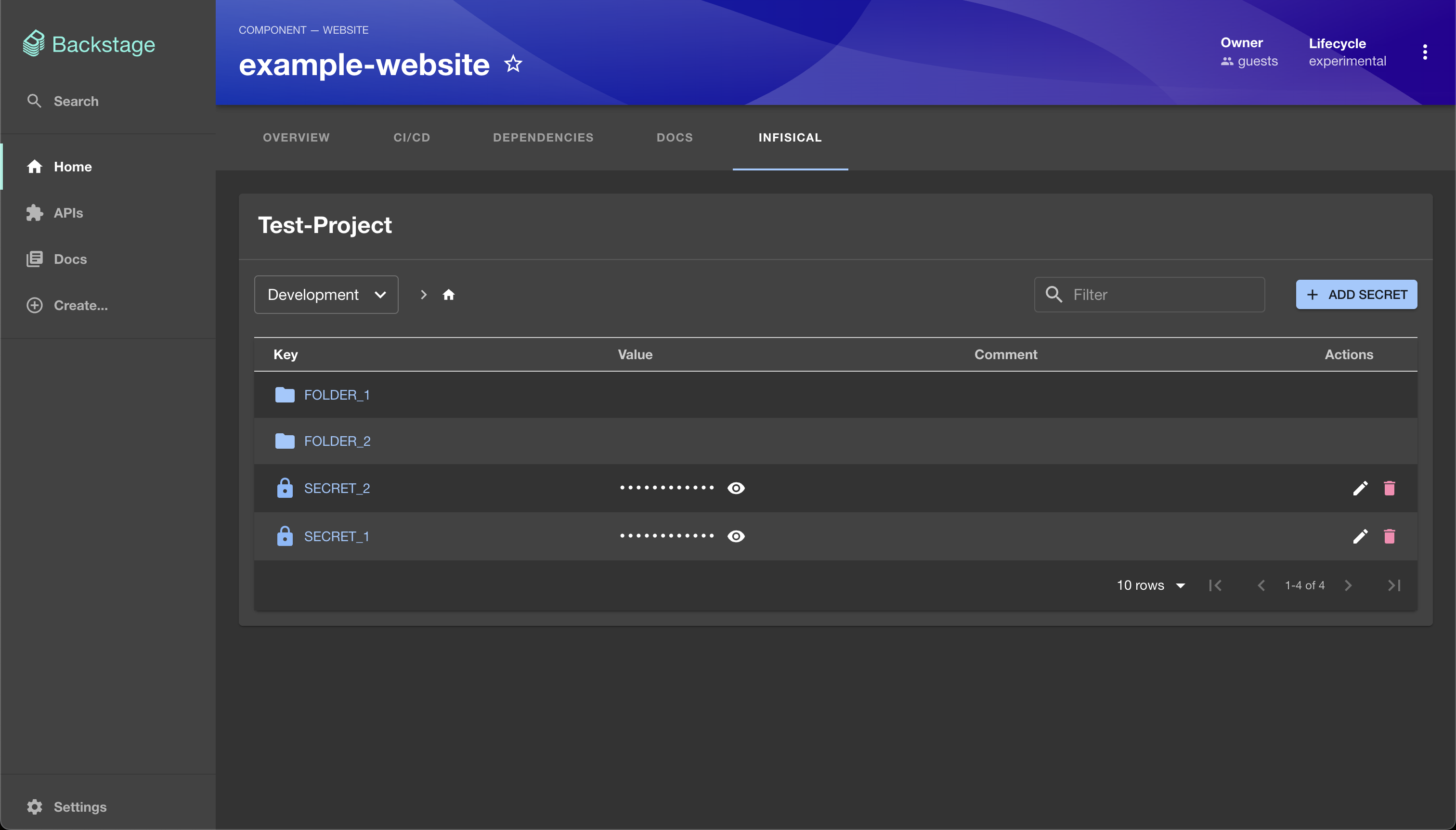
Integrate secrets management into your developer portal with the Backstage Infisical plugin suite. This plugin provides a seamless interface to manage your [Infisical](https://infisical.com) secrets directly within Backstage, including full support for environments and folder structure.
## Features
* **Secrets Management**: View, create, update, and delete secrets from Infisical
* **Folder Navigation**: Explore the full folder structure of your Infisical projects
* **Multi-Environment Support**: Easily switch between and manage different environments
* **Entity Linking**: Map Backstage entities to specific Infisical projects via annotations
***
## Installation
### Frontend Plugin
```bash theme={null}
# From your Backstage root directory
yarn --cwd packages/app add @infisical/backstage-plugin-infisical
```
### Backend Plugin
```bash theme={null}
# From your Backstage root directory
yarn --cwd packages/backend add @infisical/backstage-backend-plugin-infisical
```
## Configuration
### Backend
Update your `app-config.yaml`:
```yaml theme={null}
infisical:
baseUrl: https://app.infisical.com
authentication:
# Option 1: API Token Authentication
auth_token:
token: ${INFISICAL_API_TOKEN}
# Option 2: Client Credentials Authentication
universalAuth:
clientId: ${INFISICAL_CLIENT_ID}
clientSecret: ${INFISICAL_CLIENT_SECRET}
```
If you have not created a machine identity yet, you can do so in [Identities](/documentation/platform/identities/machine-identities)
Register the plugin in `packages/backend/src/index.ts`:
```ts theme={null}
import { createBackend } from '@backstage/backend-defaults';
const backend = createBackend();
backend.add(import('@infisical/backstage-backend-plugin-infisical'));
backend.start();
```
### Frontend
Update `packages/app/src/App.tsx` to include the plugin:
```tsx theme={null}
import { infisicalPlugin } from '@infisical/backstage-plugin-infisical';
const app = createApp({
plugins: [
infisicalPlugin,
// ...other plugins
],
});
```
Modify `packages/app/src/components/catalog/EntityPage.tsx`:
```tsx theme={null}
import { EntityInfisicalContent } from '@infisical/backstage-plugin-infisical';
const serviceEntityPage = (
{/* ...other tabs */}
);
```
### Entity Annotation
Add the Infisical project ID to your entity yaml settings:
```yaml theme={null}
apiVersion: backstage.io/v1alpha1
kind: Component
metadata:
name: example-service
annotations:
infisical/projectId:
```
> Replace `` with the actual project ID from Infisical.
## Usage
Once installed and configured, you can:
1. **View and manage secrets** in Infisical from within Backstage
2. **Create, update, and delete** secrets using the Infisical tab in entity pages
3. **Navigate environments and folders**
4. **Search and filter** secrets by key, value, or comments