> ## Documentation Index
> Fetch the complete documentation index at: https://infisical-devin-1781641701-docs-github-pat-fine-grained.mintlify.site/llms.txt
> Use this file to discover all available pages before exploring further.
# Auth0 Connection
> Learn how to configure an Auth0 Connection for Infisical.
Infisical supports the use of [Client Credentials](https://auth0.com/docs/get-started/authentication-and-authorization-flow/client-credentials-flow) to connect with your Auth0 applications.
## Configure a Machine-to-Machine Application in Auth0
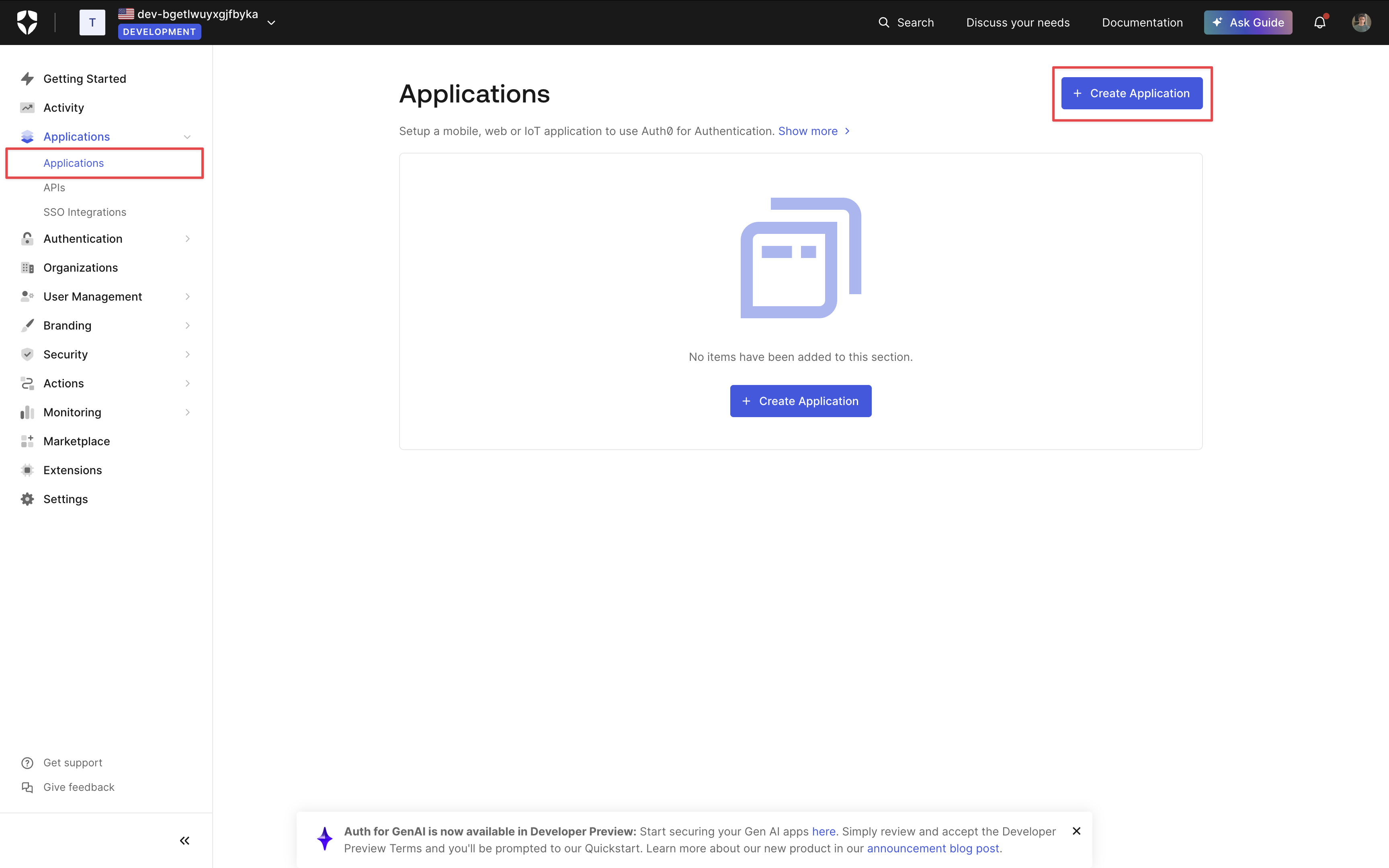
Navigate to the **Applications** page in Auth0 via the sidebar and click **Create Application**.
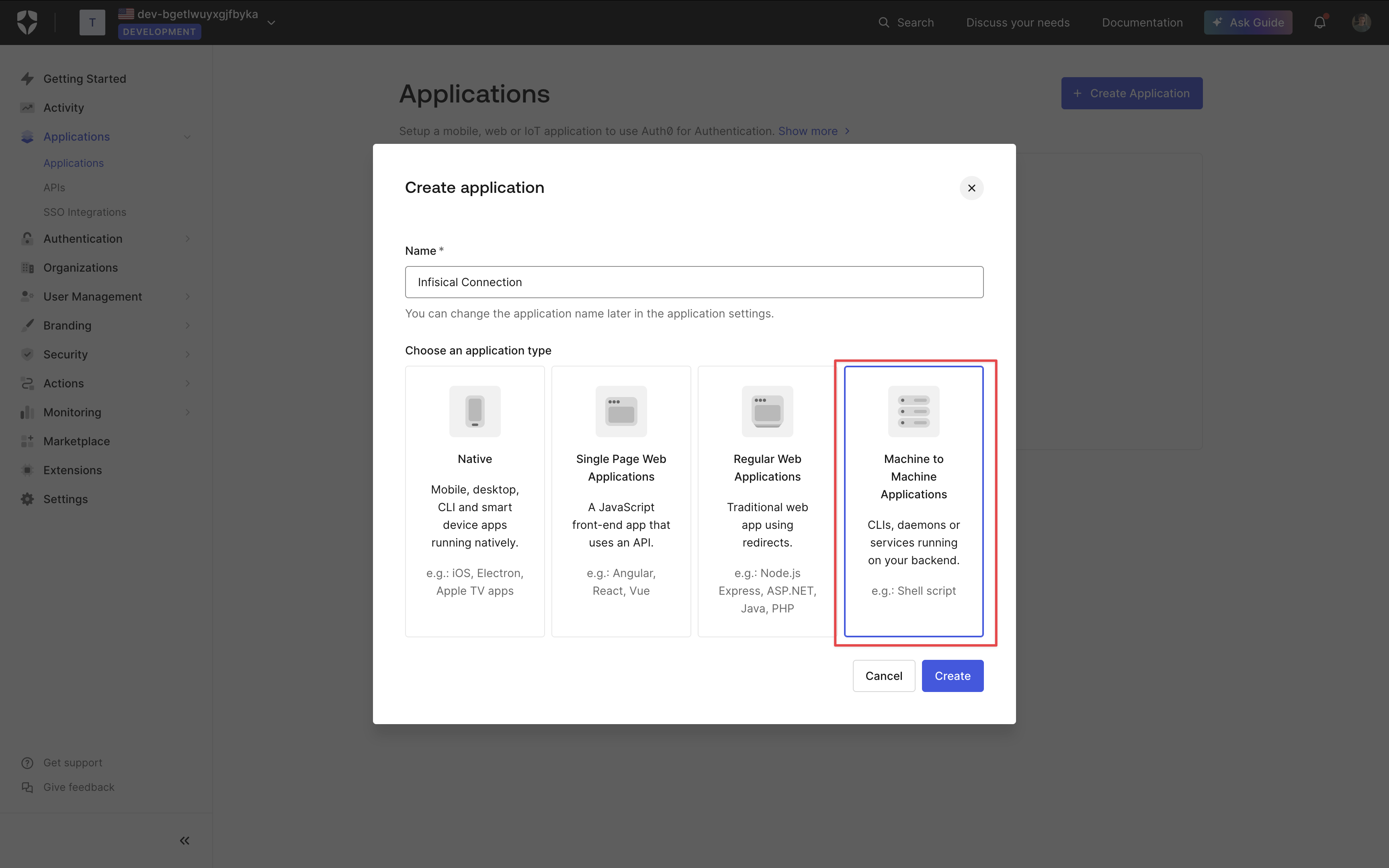
 Give your application a name and select **Machine-to-Machine** for the application type.
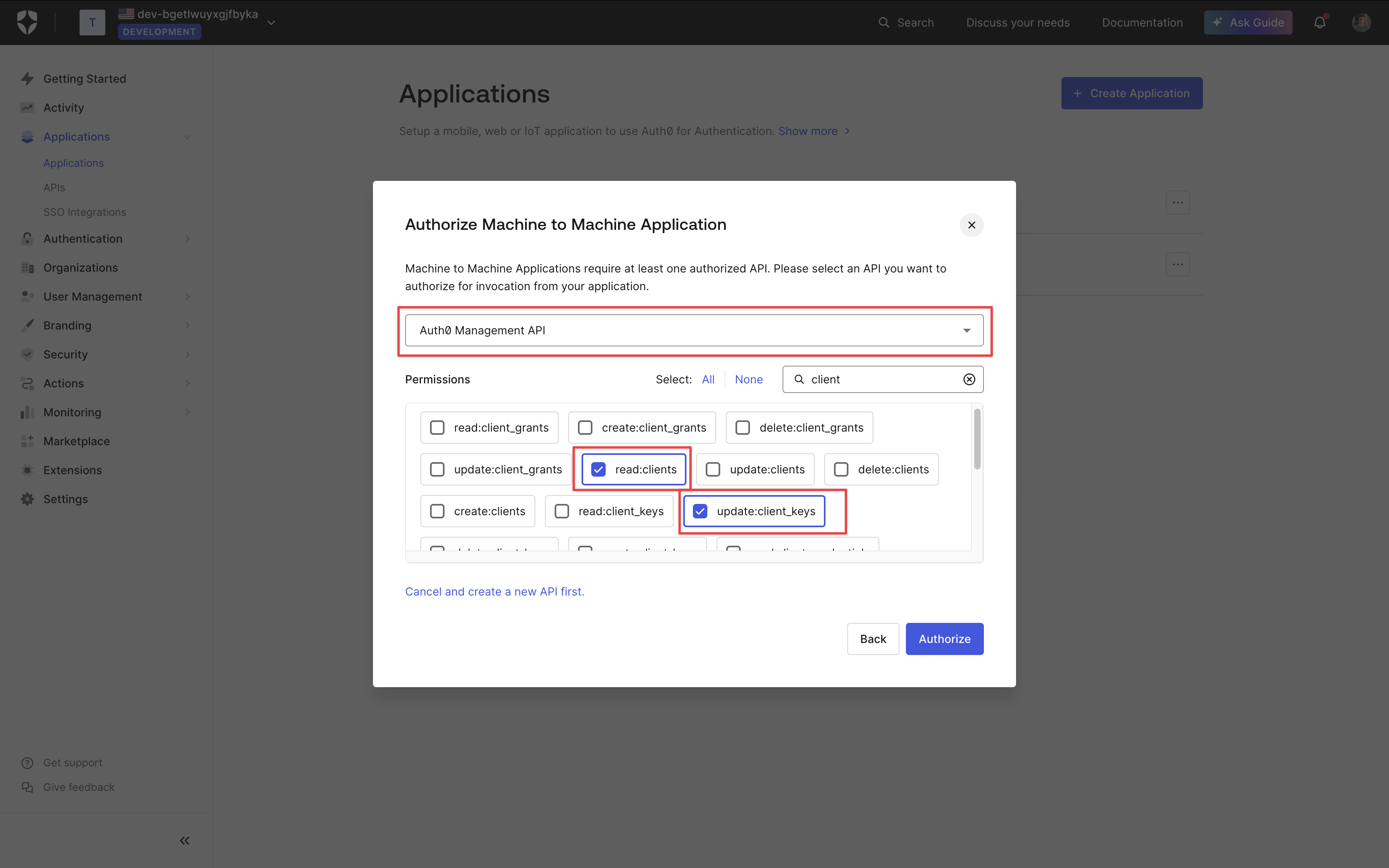
 Depending on your connection use case, authorize your application for the applicable API and grant the relevant permissions. Once done, click **Authorize**.
Select the **Auth0 Management API** option from the dropdown and grant the `update:client_keys` and `read:clients` permission.
Depending on your connection use case, authorize your application for the applicable API and grant the relevant permissions. Once done, click **Authorize**.
Select the **Auth0 Management API** option from the dropdown and grant the `update:client_keys` and `read:clients` permission.
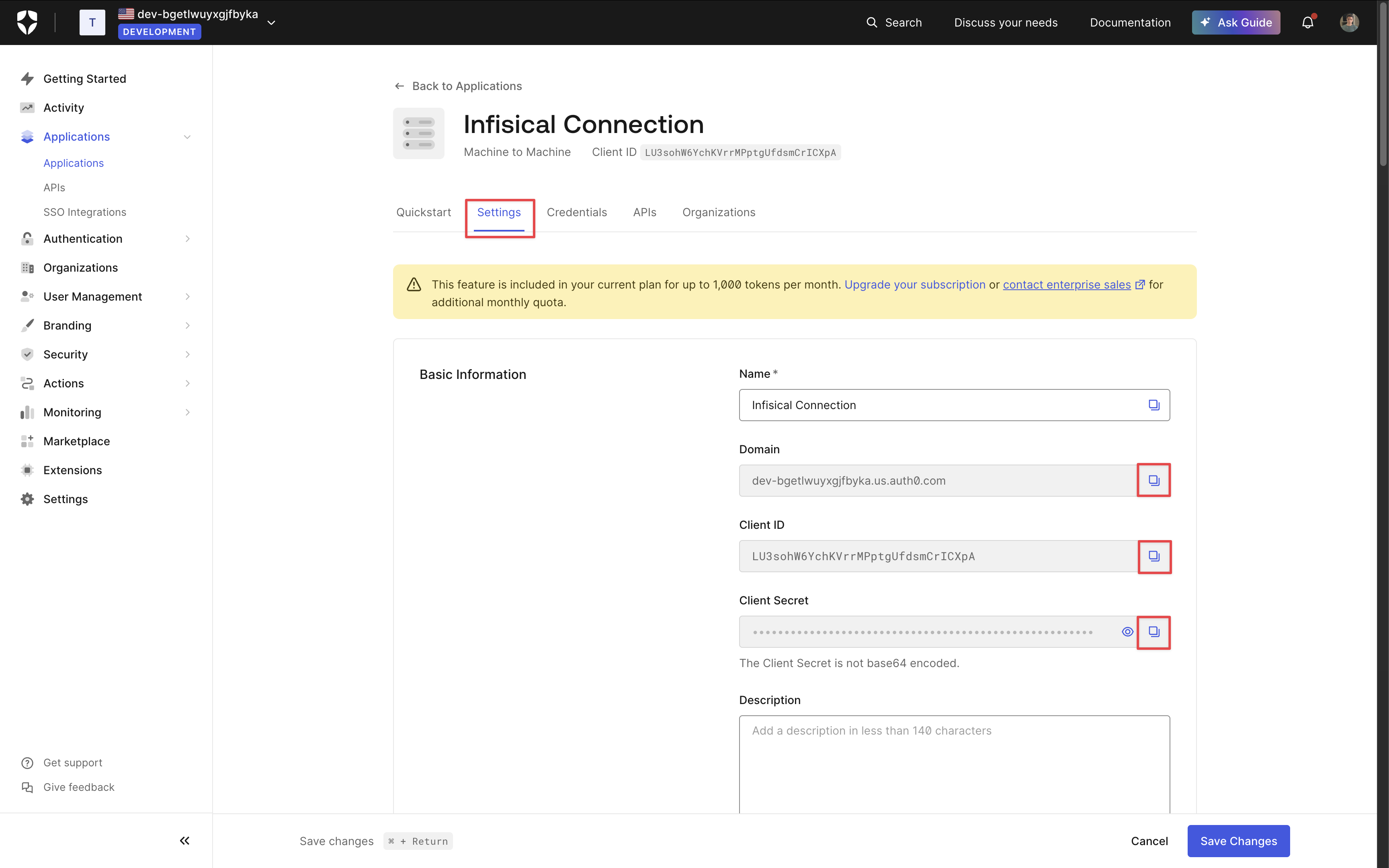
 On your application page, select the **Settings** tab and copy the **Domain**, **Client ID** and **Client Secret** for later.
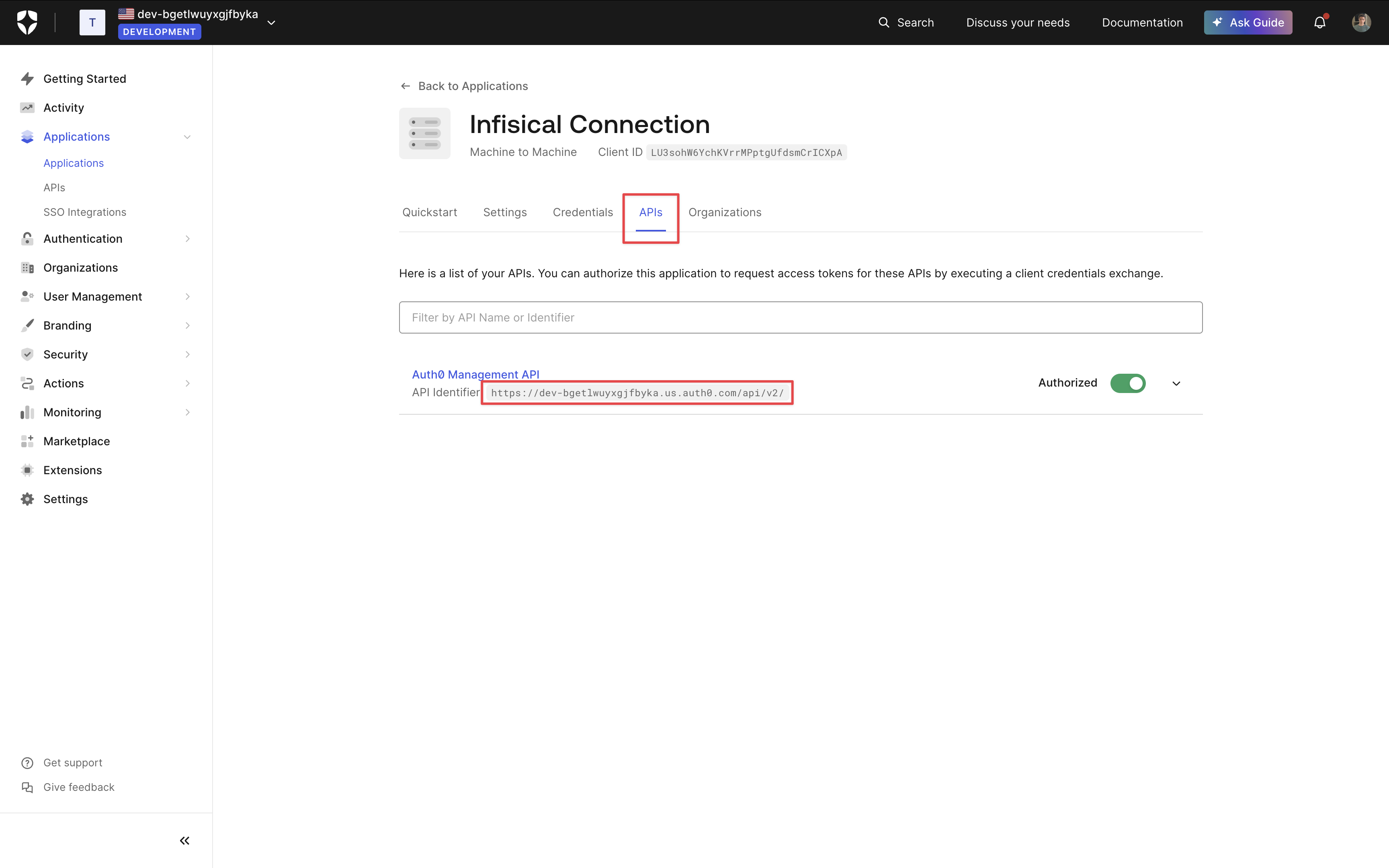
 Next, select the **APIs** tab and copy the **API Identifier**.
 ## Setup Auth0 Connection in Infisical
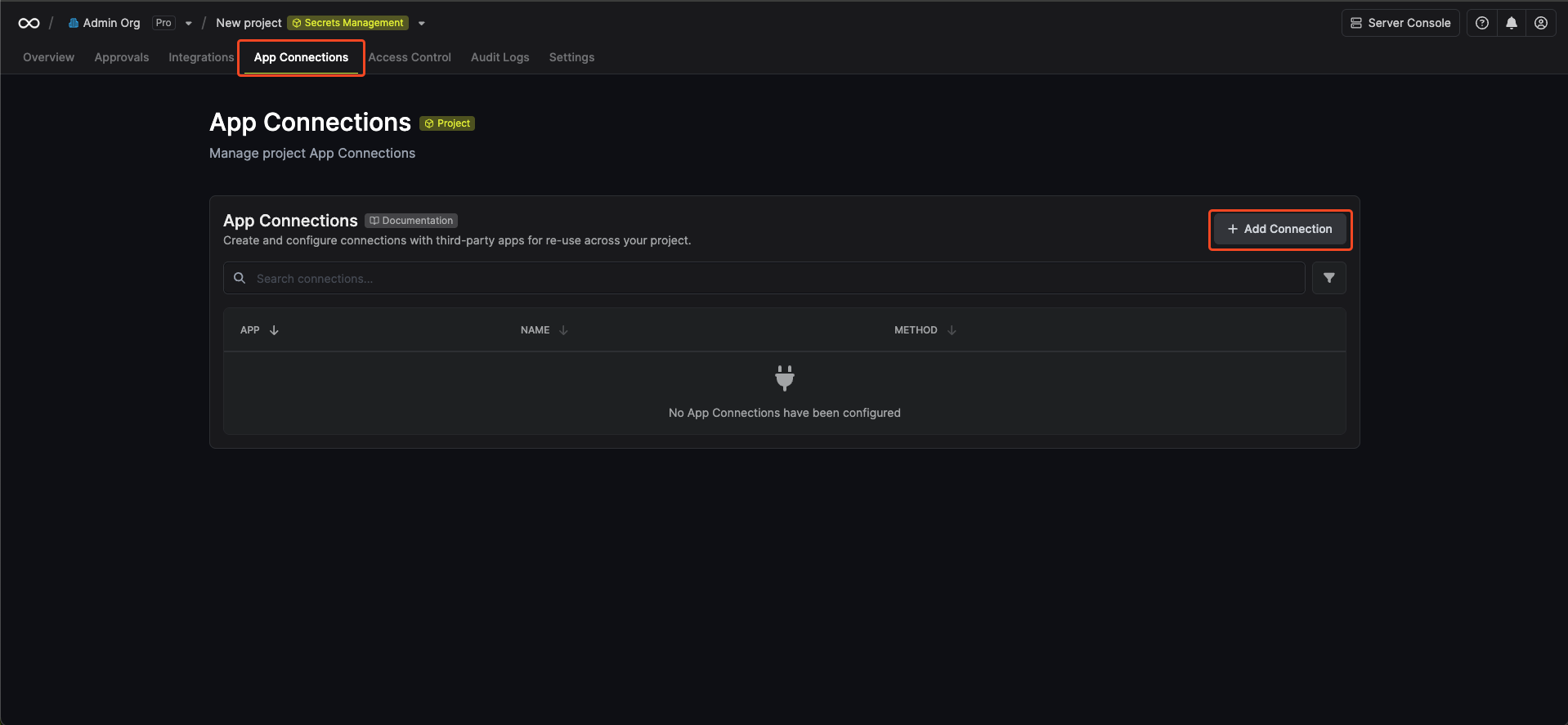
1. Navigate to the **Integrations** tab in the desired project, then select **App Connections**.
## Setup Auth0 Connection in Infisical
1. Navigate to the **Integrations** tab in the desired project, then select **App Connections**.
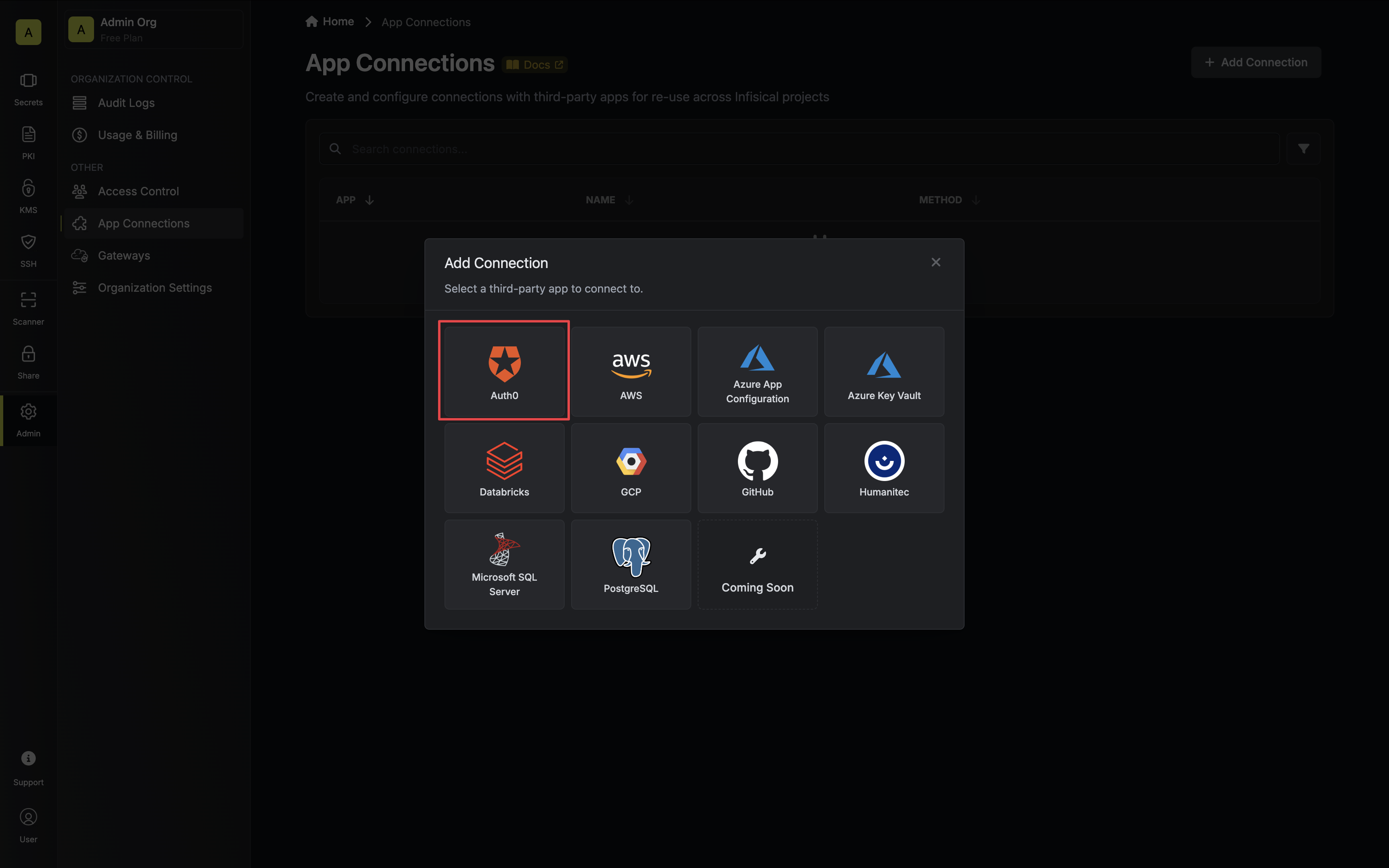
 2. Select the **Auth0 Connection** option.
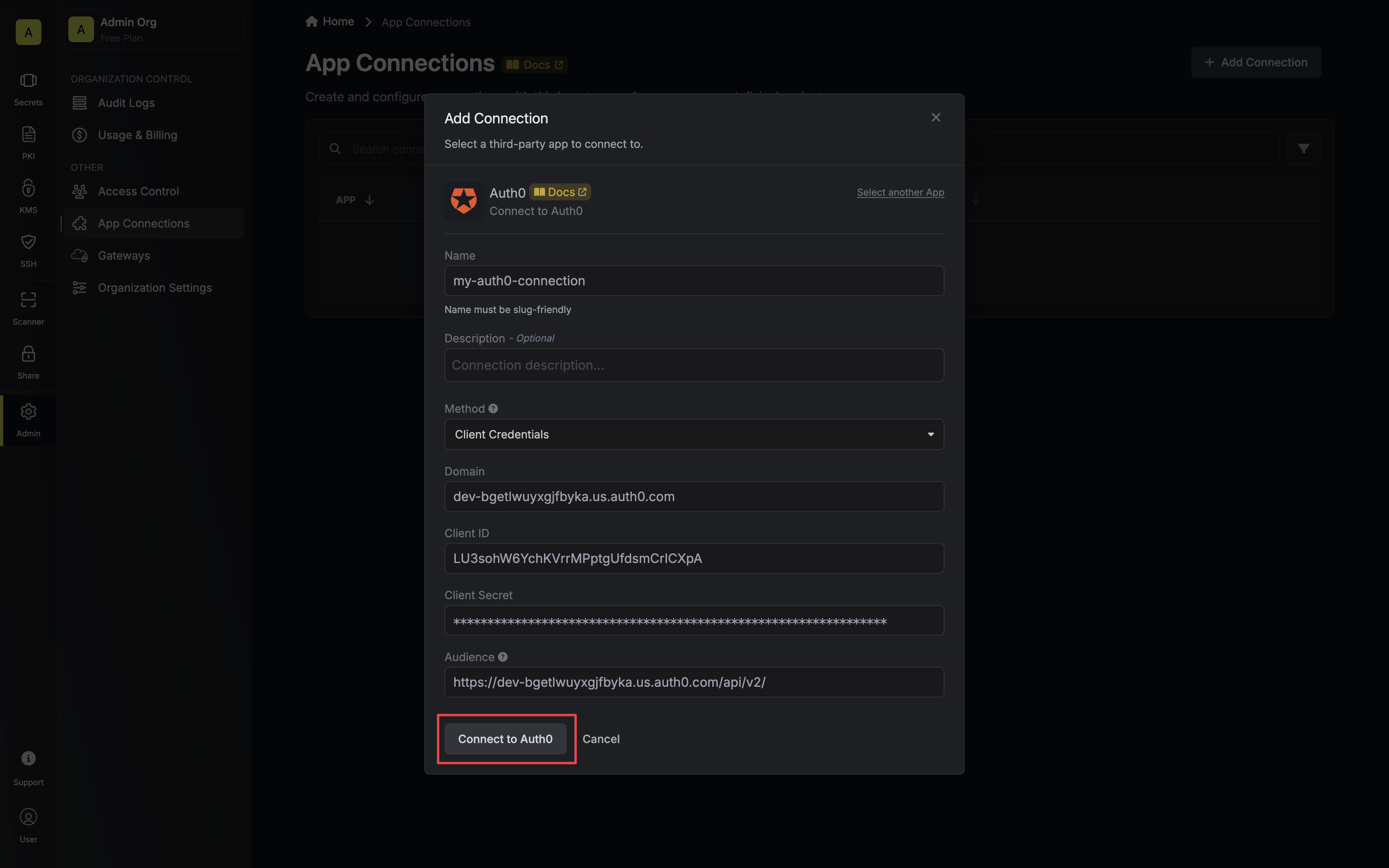
 3. Select the **Client Credentials** method option and provide the details obtained from the previous section and press **Connect to Auth0**.
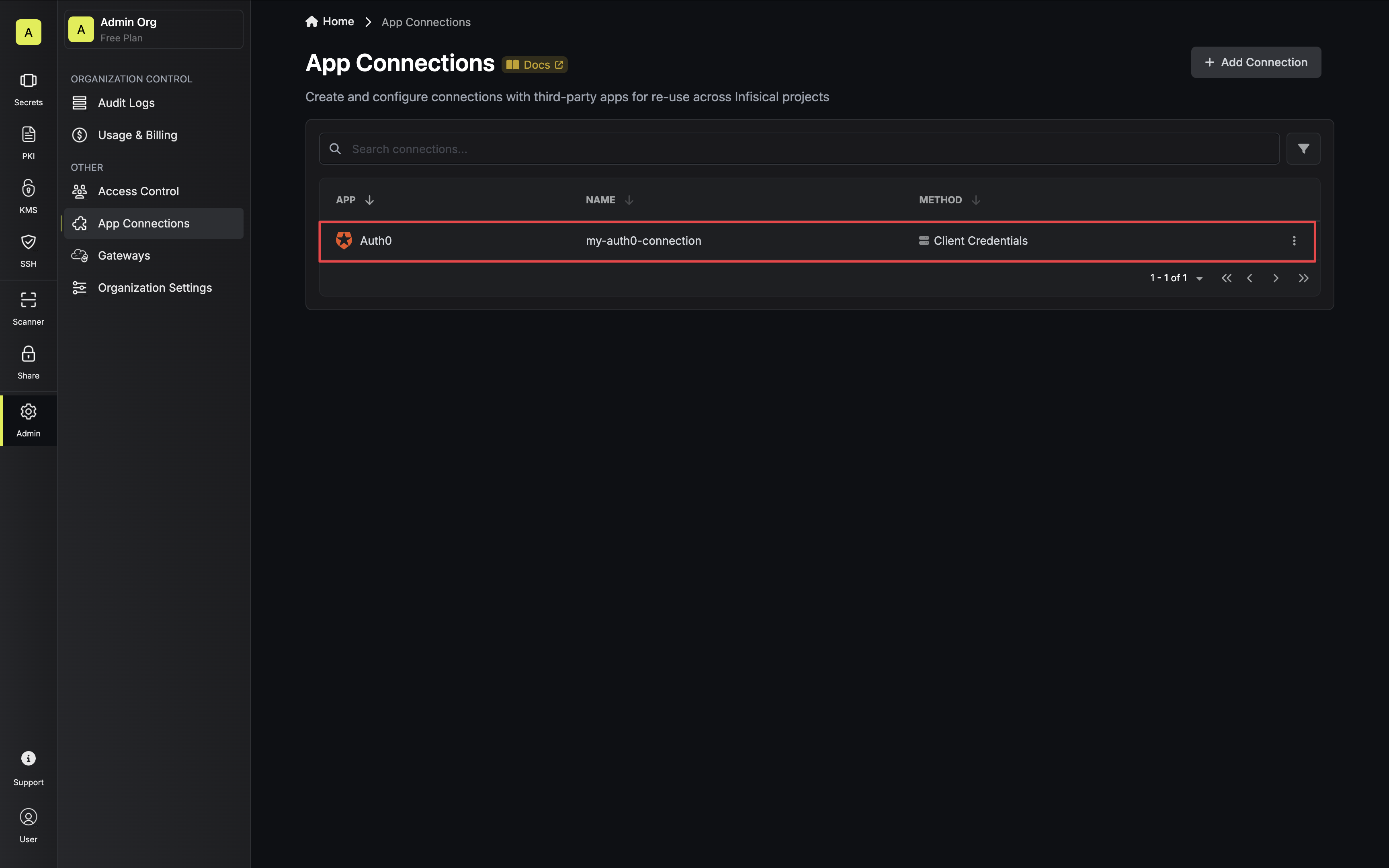
 4. Your **Auth0 Connection** is now available for use.
 To create a Auth0 Connection, make an API request to the [Create Auth0
Connection](/api-reference/endpoints/app-connections/auth0/create) API endpoint.
### Sample request
```bash Request theme={null}
curl --request POST \
--url https://app.infisical.com/api/v1/app-connections/auth0 \
--header 'Content-Type: application/json' \
--data '{
"name": "my-auth0-connection",
"method": "client-credentials",
"projectId": "7ffbb072-2575-495a-b5b0-127f88caef78",
"credentials": {
"domain": "xxx-xxxxxxxxx.us.auth0.com",
"clientId": "...",
"clientSecret": "...",
"audience": "https://xxx-xxxxxxxxx.us.auth0.com/api/v2/"
}
}'
```
### Sample response
```bash Response theme={null}
{
"appConnection": {
"id": "3c90c3cc-0d44-4b50-8888-8dd25736052a",
"name": "my-auth0-connection",
"projectId": "7ffbb072-2575-495a-b5b0-127f88caef78",
"version": 1,
"orgId": "3c90c3cc-0d44-4b50-8888-8dd25736052a",
"createdAt": "2023-11-07T05:31:56Z",
"updatedAt": "2023-11-07T05:31:56Z",
"app": "auth0",
"method": "client-credentials",
"credentials": {
"domain": "xxx-xxxxxxxxx.us.auth0.com",
"clientId": "...",
"audience": "https://xxx-xxxxxxxxx.us.auth0.com/api/v2/"
}
}
}
```
To create a Auth0 Connection, make an API request to the [Create Auth0
Connection](/api-reference/endpoints/app-connections/auth0/create) API endpoint.
### Sample request
```bash Request theme={null}
curl --request POST \
--url https://app.infisical.com/api/v1/app-connections/auth0 \
--header 'Content-Type: application/json' \
--data '{
"name": "my-auth0-connection",
"method": "client-credentials",
"projectId": "7ffbb072-2575-495a-b5b0-127f88caef78",
"credentials": {
"domain": "xxx-xxxxxxxxx.us.auth0.com",
"clientId": "...",
"clientSecret": "...",
"audience": "https://xxx-xxxxxxxxx.us.auth0.com/api/v2/"
}
}'
```
### Sample response
```bash Response theme={null}
{
"appConnection": {
"id": "3c90c3cc-0d44-4b50-8888-8dd25736052a",
"name": "my-auth0-connection",
"projectId": "7ffbb072-2575-495a-b5b0-127f88caef78",
"version": 1,
"orgId": "3c90c3cc-0d44-4b50-8888-8dd25736052a",
"createdAt": "2023-11-07T05:31:56Z",
"updatedAt": "2023-11-07T05:31:56Z",
"app": "auth0",
"method": "client-credentials",
"credentials": {
"domain": "xxx-xxxxxxxxx.us.auth0.com",
"clientId": "...",
"audience": "https://xxx-xxxxxxxxx.us.auth0.com/api/v2/"
}
}
}
```