> ## Documentation Index
> Fetch the complete documentation index at: https://infisical-devin-1781641701-docs-github-pat-fine-grained.mintlify.site/llms.txt
> Use this file to discover all available pages before exploring further.
# Session Recording
> Learn how Infisical records and stores session activity for auditing and monitoring.
Infisical PAM provides robust session recording capabilities to help you audit and monitor user activity across your infrastructure.
## How It Works
When a user initiates a session by accessing an account, a recording of the session begins. The Gateway securely caches all recording data in temporary encrypted files on its local system.
Every 10 seconds, the Gateway incrementally uploads new session events to the Infisical platform, allowing administrators to monitor activity in near real-time without waiting for the session to end. If the connection to the Infisical platform is temporarily lost, the Gateway continues recording locally and resumes uploading once connectivity is restored, ensuring no data is lost. After the session concludes, administrators can search and review the complete session logs on the Infisical platform.
## What's Captured
The content captured during a session depends on the type of resource being accessed.
Infisical captures all queries executed and their corresponding responses, including timestamps for each action.
Infisical captures all commands executed and their corresponding responses, including timestamps for each action.
Infisical captures keyboard input, mouse events, and screen frames with timestamps for each action.
## Viewing Recordings
To review session recordings:
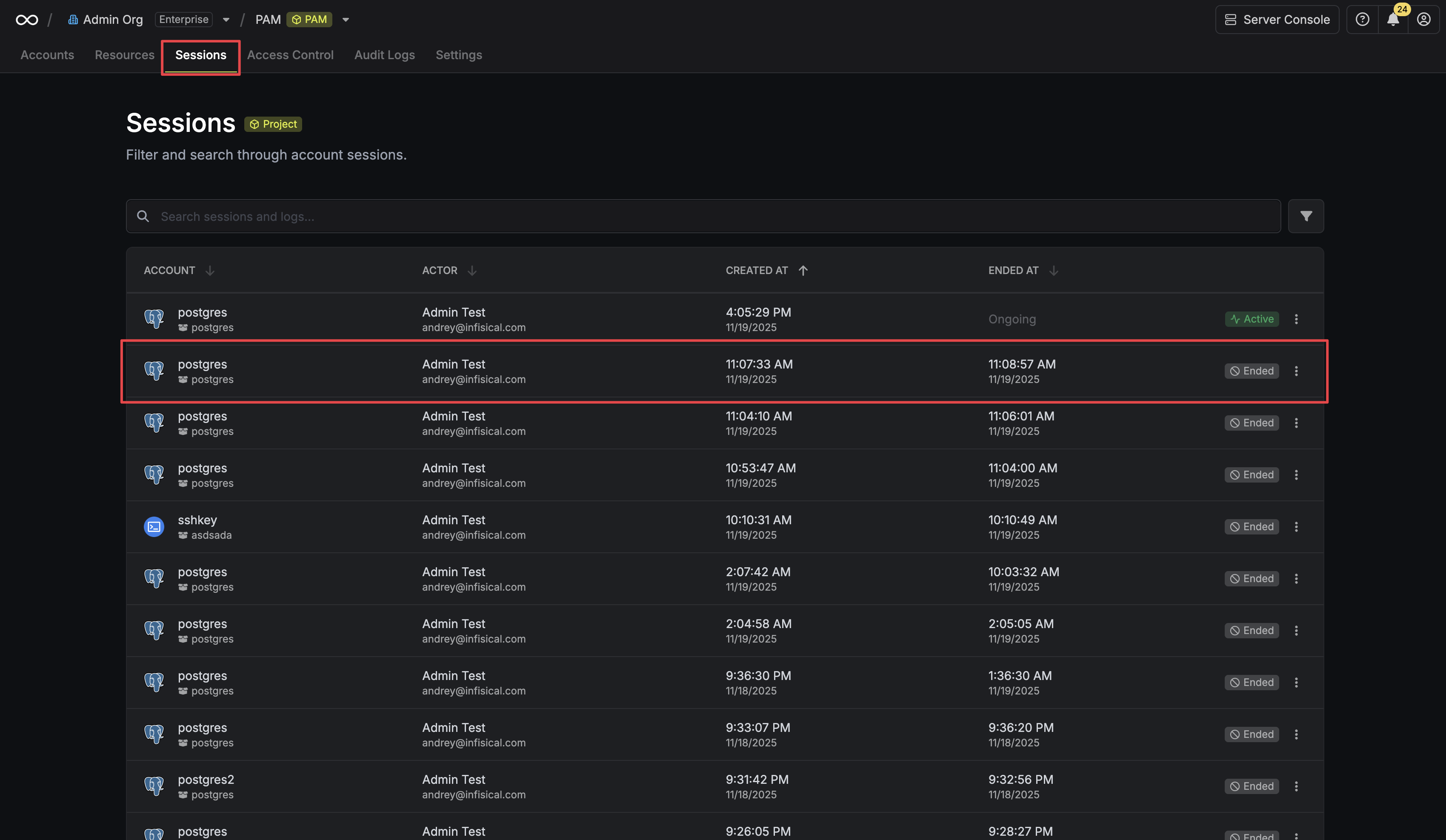
1. Navigate to the **Sessions** page in your PAM project.
2. Click on a session from the list to view its details.
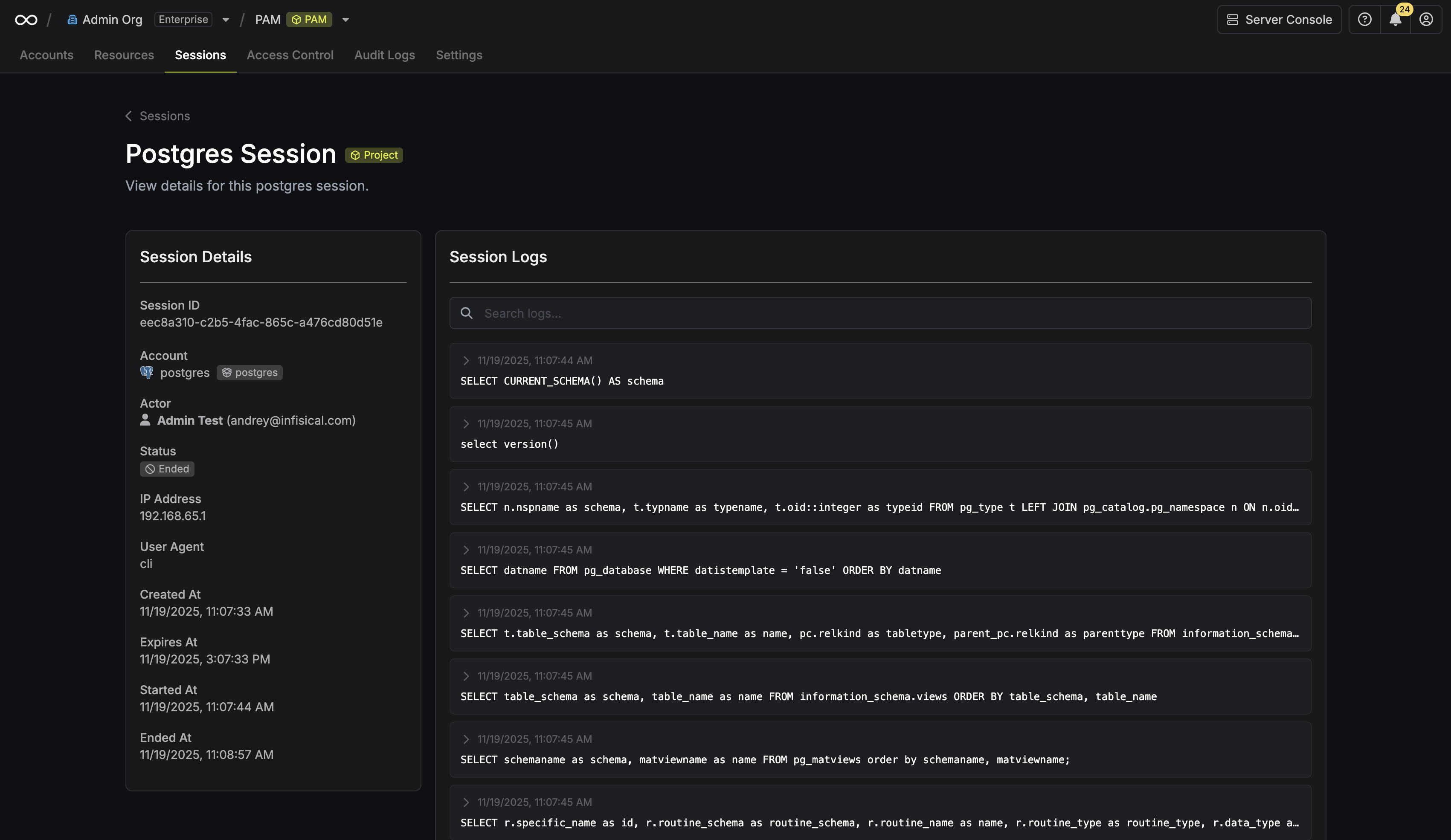
 The session details page provides key information, including the complete session logs, connection status, the user who initiated it, and more.
 ### Searching Logs
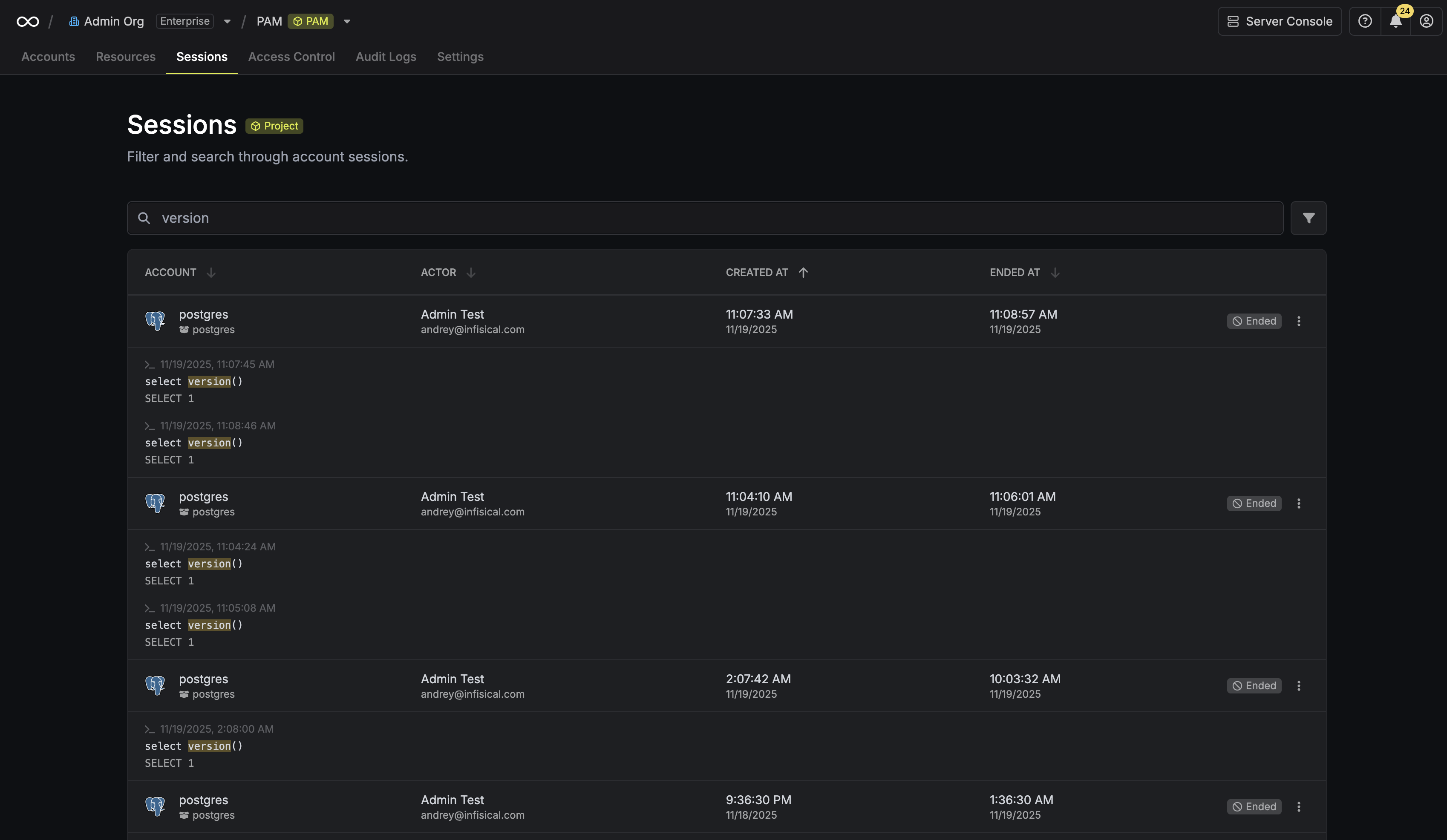
You can use the search bar to quickly find relevant information:
**Sessions page:** Search across all session logs to locate specific queries or outputs.
### Searching Logs
You can use the search bar to quickly find relevant information:
**Sessions page:** Search across all session logs to locate specific queries or outputs.
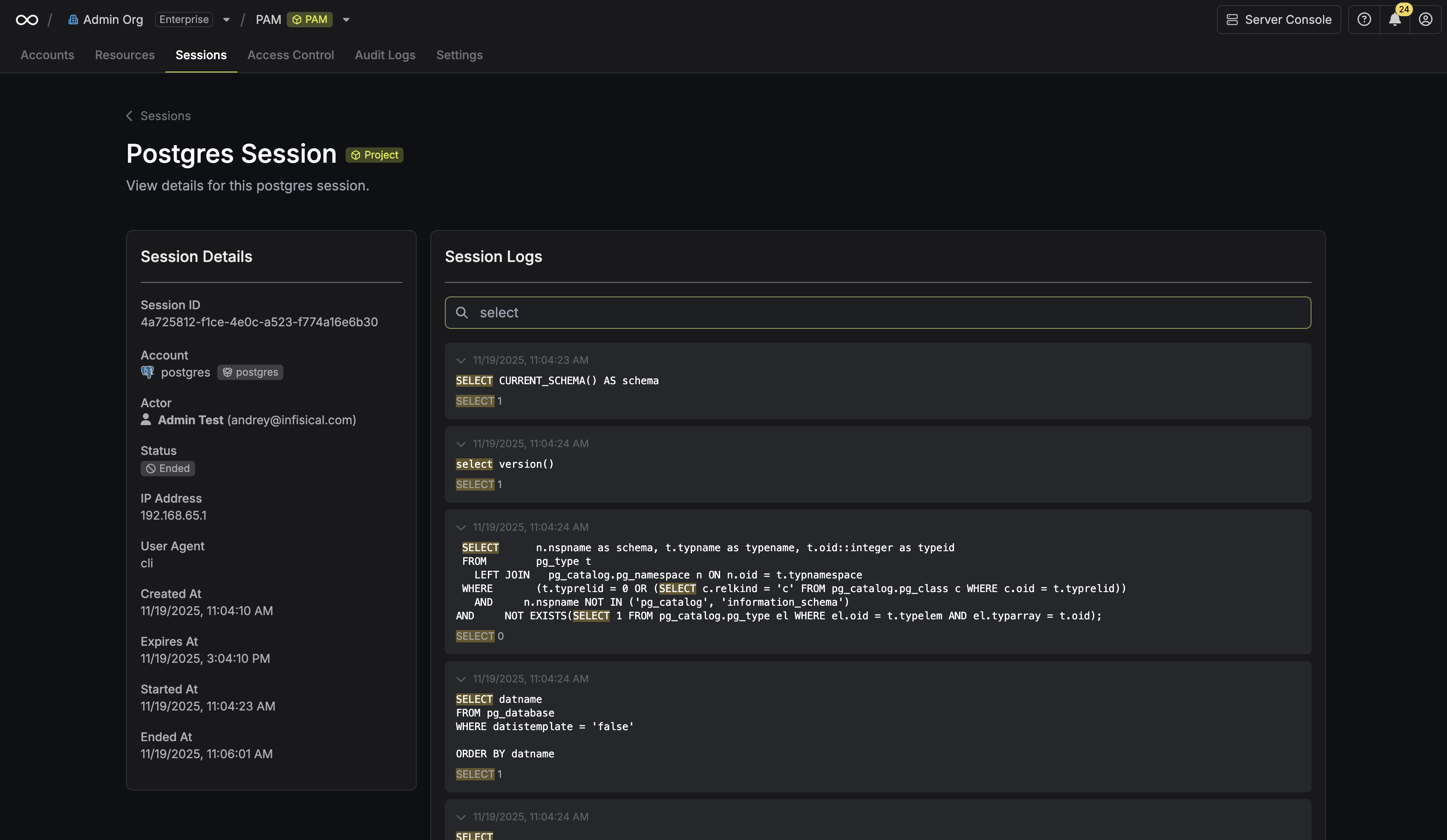
 **Individual session page:** Search within that specific session's logs to pinpoint activity.
 ## AI Insights
Infisical can automatically generate an AI-powered summary of each session's activity once it ends. The summary includes a plain-language overview of what the user did and highlights any actions that may warrant further review.
See [AI Session Insights](/documentation/platform/pam/product-reference/ai-session-insights) to learn how to configure this feature.
## FAQ
Yes. All session recordings are encrypted at rest by default, ensuring your data is always secure.
Session events are uploaded every 10 seconds, so logs appear on the platform in near real-time during an active session. The session detail page refreshes automatically while a session is active.
## AI Insights
Infisical can automatically generate an AI-powered summary of each session's activity once it ends. The summary includes a plain-language overview of what the user did and highlights any actions that may warrant further review.
See [AI Session Insights](/documentation/platform/pam/product-reference/ai-session-insights) to learn how to configure this feature.
## FAQ
Yes. All session recordings are encrypted at rest by default, ensuring your data is always secure.
Session events are uploaded every 10 seconds, so logs appear on the platform in near real-time during an active session. The session detail page refreshes automatically while a session is active.