> ## Documentation Index
> Fetch the complete documentation index at: https://infisical-devin-1781641701-docs-github-pat-fine-grained.mintlify.site/llms.txt
> Use this file to discover all available pages before exploring further.
# PAM Account
> Learn how to create and manage accounts in PAM to control access to resources like databases and servers.
An **Account** contains the credentials (such as a username and password) used to connect to a [Resource](/documentation/platform/pam/getting-started/resources).
## Relationship to Resources
Accounts belong to Resources. A single Resource can have multiple Accounts associated with it, each with different permission levels.
For example, your database would normally have multiple accounts. You might have a superuser account for admins, a standard read/write account for applications, and a read-only account for reporting.
In PAM, these are represented as:
* **Resource**: `production-database` (PostgreSQL)
* **Account 1**: `postgres` (Superuser)
* **Account 2**: `app-user` (Read/Write)
* **Account 3**: `analytics` (Read-only)
When a user accesses a PAM account, they access a specific **Account** on a **Resource**. Users navigate to a resource, then select an account within it to gain access.
## Creating an Account
**Prerequisite**: You must have at least one [Resource](/documentation/platform/pam/getting-started/resources) created before adding accounts.
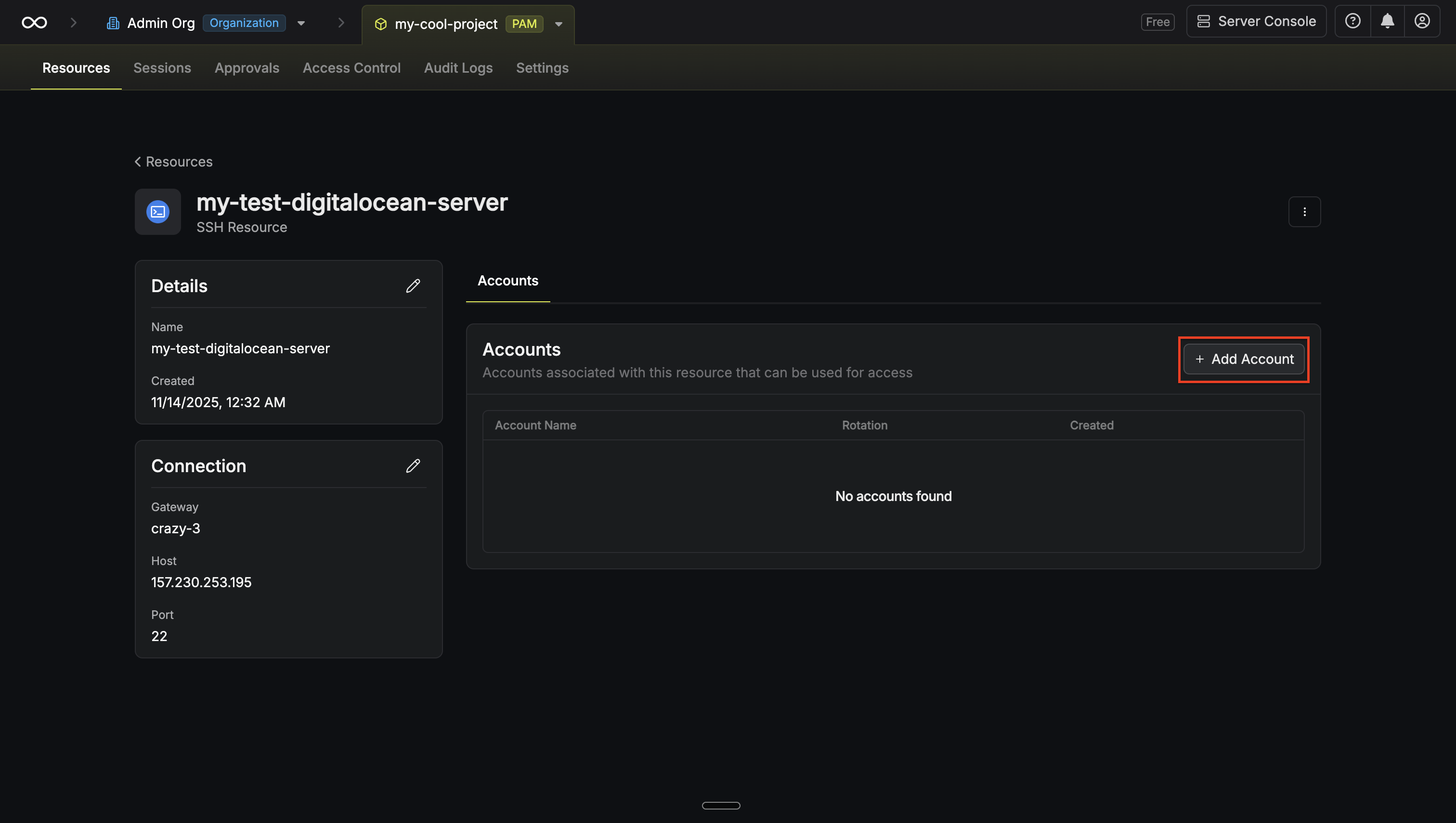
To add an account, navigate to the **Resources** tab in your PAM project, click into the resource you want to add an account to, and then click **Add Account**.
 Provide the credentials (username, password, etc.) for this account. The required fields vary depending on the resource type. For example, for a Linux server, you would enter the username and the corresponding password or SSH key.
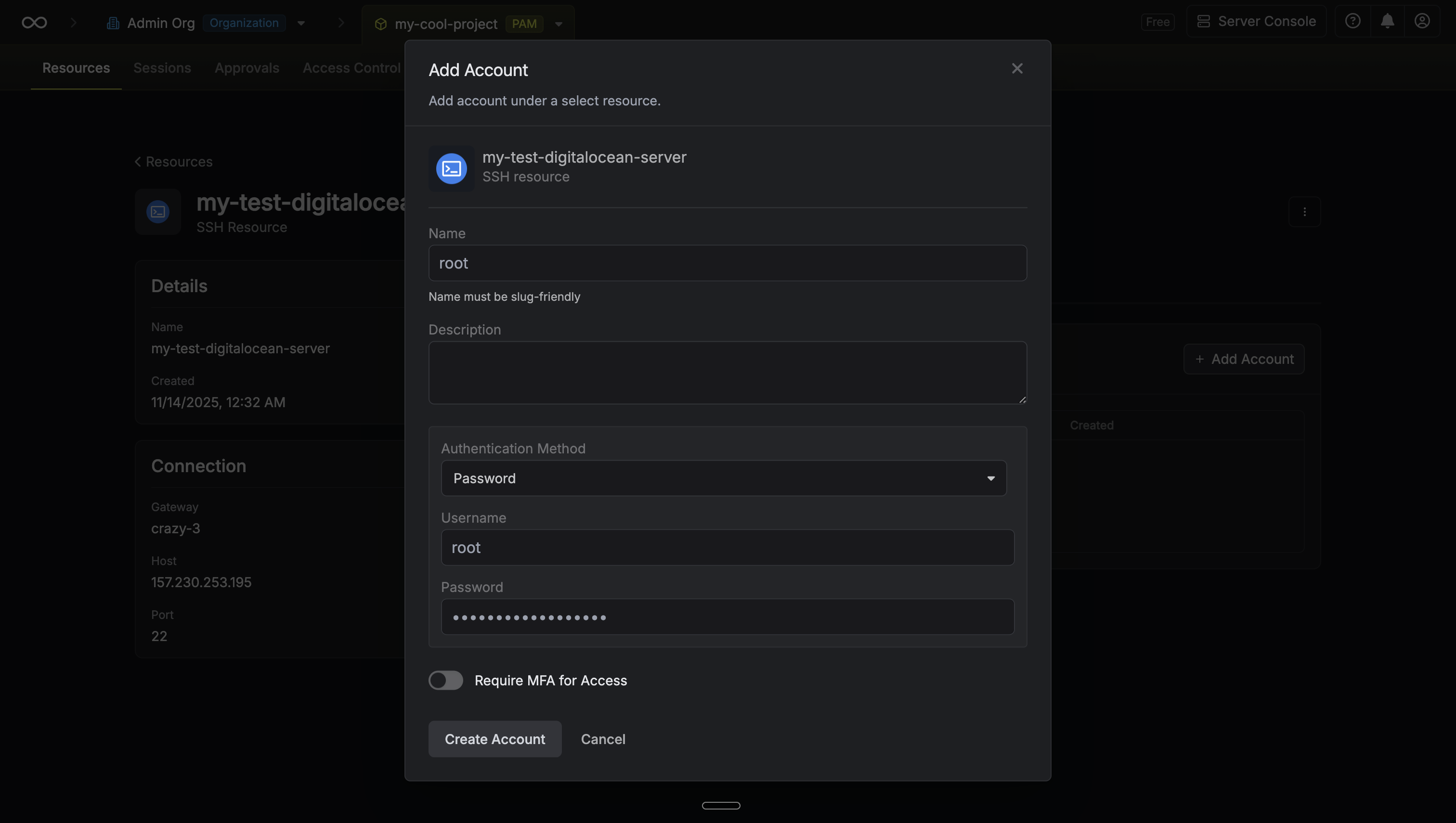 Clicking **Create Account** will trigger a validation check. Infisical will attempt to connect to the resource using the provided credentials to verify they are valid.
## Account Metadata
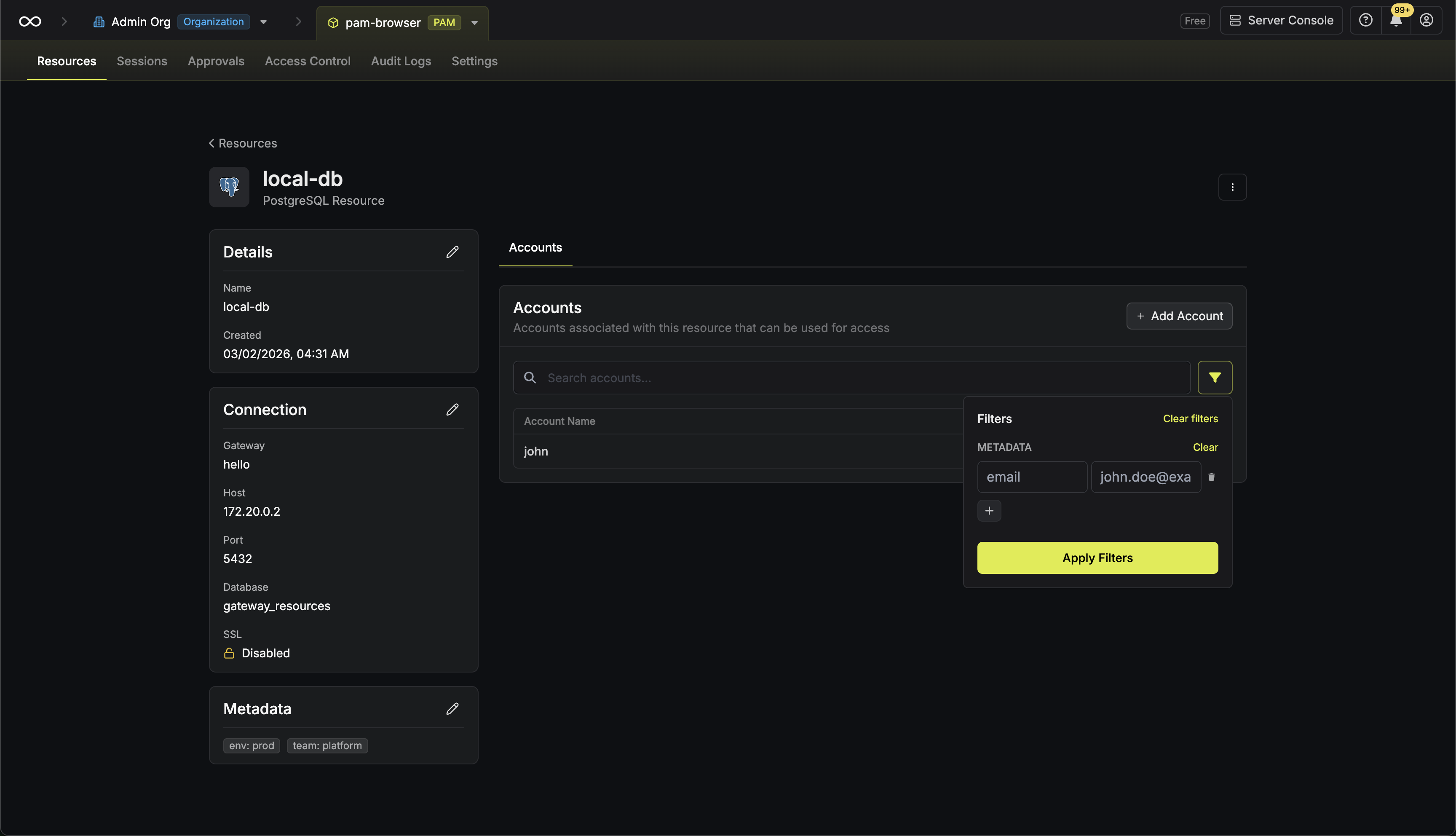
Accounts support custom key-value metadata that can be used to organize and classify access credentials.
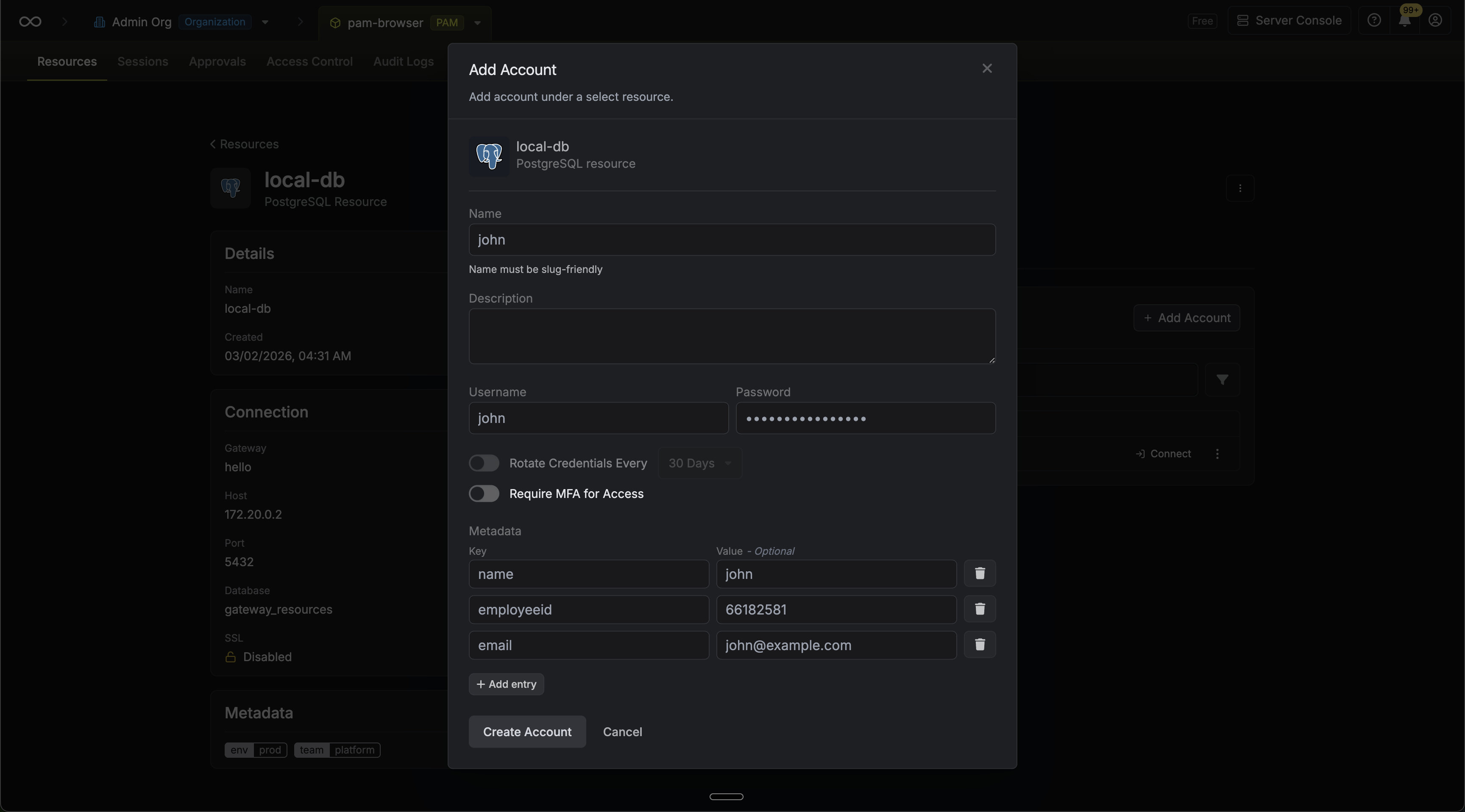
* **At creation**: You can attach metadata key-value pairs when creating an account through the creation modal.
Clicking **Create Account** will trigger a validation check. Infisical will attempt to connect to the resource using the provided credentials to verify they are valid.
## Account Metadata
Accounts support custom key-value metadata that can be used to organize and classify access credentials.
* **At creation**: You can attach metadata key-value pairs when creating an account through the creation modal.
 * **On the details page**: After creation, account metadata can be viewed and edited from the account details page.
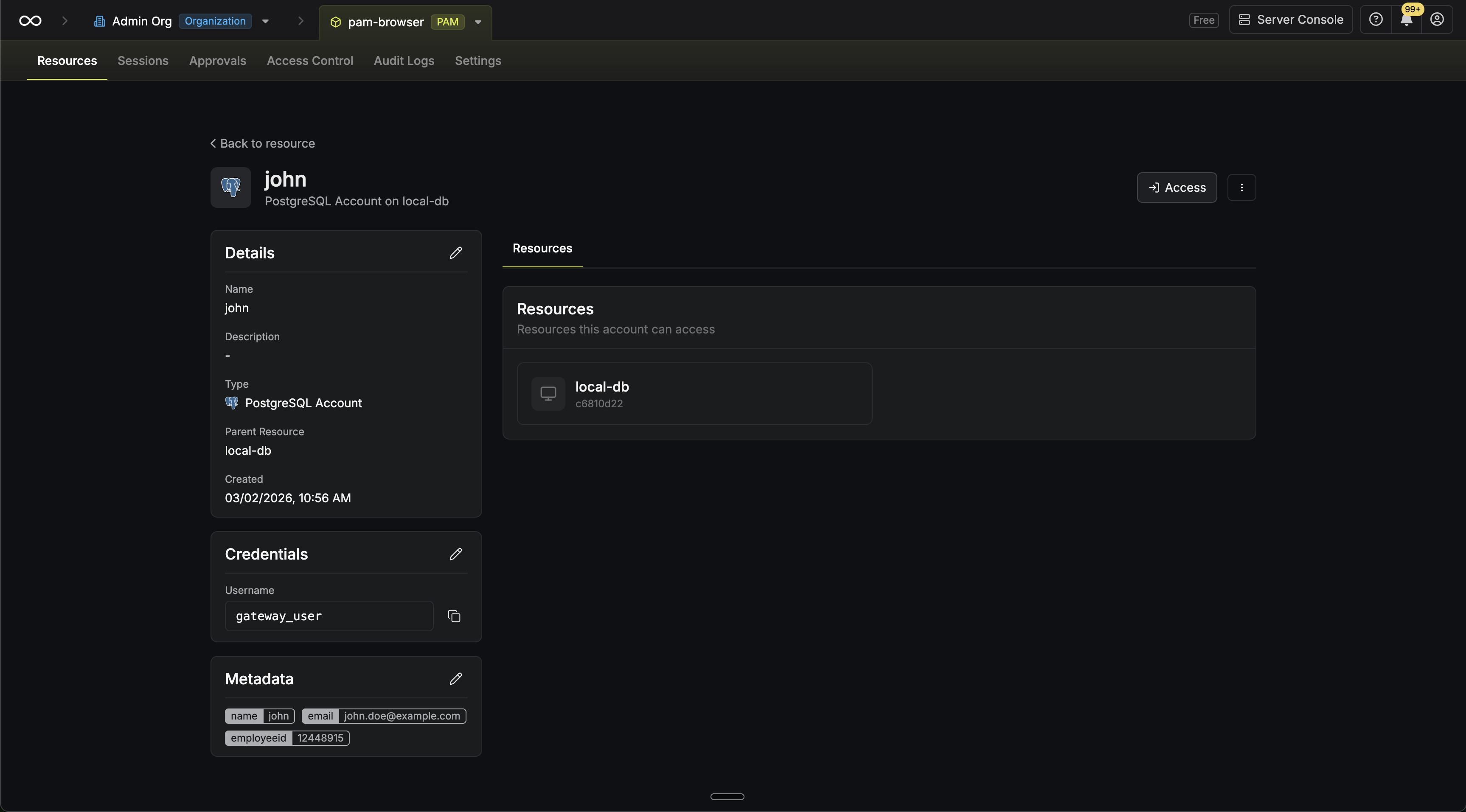 * **Filtering**: You can filter the accounts list view by metadata key-value pairs.
 ## Account Policies
You can assign an **Account Policy** to an account to enforce behavioral rules during sessions — such as blocking dangerous commands or masking sensitive data in session logs.
To assign a policy, select one from the **Account Policy** dropdown when creating or editing an account. To learn more about creating and managing policies, see the [Account Policies guide](/documentation/platform/pam/product-reference/account-policies).
## Automated Credential Rotation
Infisical supports automated credential rotation for some accounts on select resources, allowing you to automatically change passwords at set intervals to enhance security.
To learn more about how to configure this, please refer to the [Credential Rotation guide](/documentation/platform/pam/product-reference/credential-rotation).
## Account Policies
You can assign an **Account Policy** to an account to enforce behavioral rules during sessions — such as blocking dangerous commands or masking sensitive data in session logs.
To assign a policy, select one from the **Account Policy** dropdown when creating or editing an account. To learn more about creating and managing policies, see the [Account Policies guide](/documentation/platform/pam/product-reference/account-policies).
## Automated Credential Rotation
Infisical supports automated credential rotation for some accounts on select resources, allowing you to automatically change passwords at set intervals to enhance security.
To learn more about how to configure this, please refer to the [Credential Rotation guide](/documentation/platform/pam/product-reference/credential-rotation).