> ## Documentation Index
> Fetch the complete documentation index at: https://infisical-devin-1781641701-docs-github-pat-fine-grained.mintlify.site/llms.txt
> Use this file to discover all available pages before exploring further.
# Folders
> Learn how to organize secrets with folders.
Infisical Folders enable users to organize secrets using custom structures dependent on the intended use case (also known as **path-based secret storage**).
It is great for organizing secrets around hierarchies with multiple services or types of secrets involved at large quantities.
Infisical Folders can be infinitely nested to mirror your application architecture – whether it's microservices, monorepos,
or any logical grouping that best suits your needs.
Consider the following structure for a microservice architecture:
```
| service1
|---- envars
|---- users
|-------- tokens1
|-------- tokens2
| service2
|---- envars
...
```
In this example, we store environment variables for each microservice under each respective `/envars` folder.
We also store user-specific secrets for micro-service 1 under `/service1/users`. With this folder structure in place, your applications only need to specify a path like `/microservice1/envars` to fetch secrets from there.
By extending this example, you can see how path-based secret storage provides a versatile approach to manage secrets for any architecture.
## Managing folders
To add a folder, press the downward chevron to the right of the **Add Secret** button; then press on the **Add Folder** button.
Folder names can only contain alphabets, numbers, and dashes
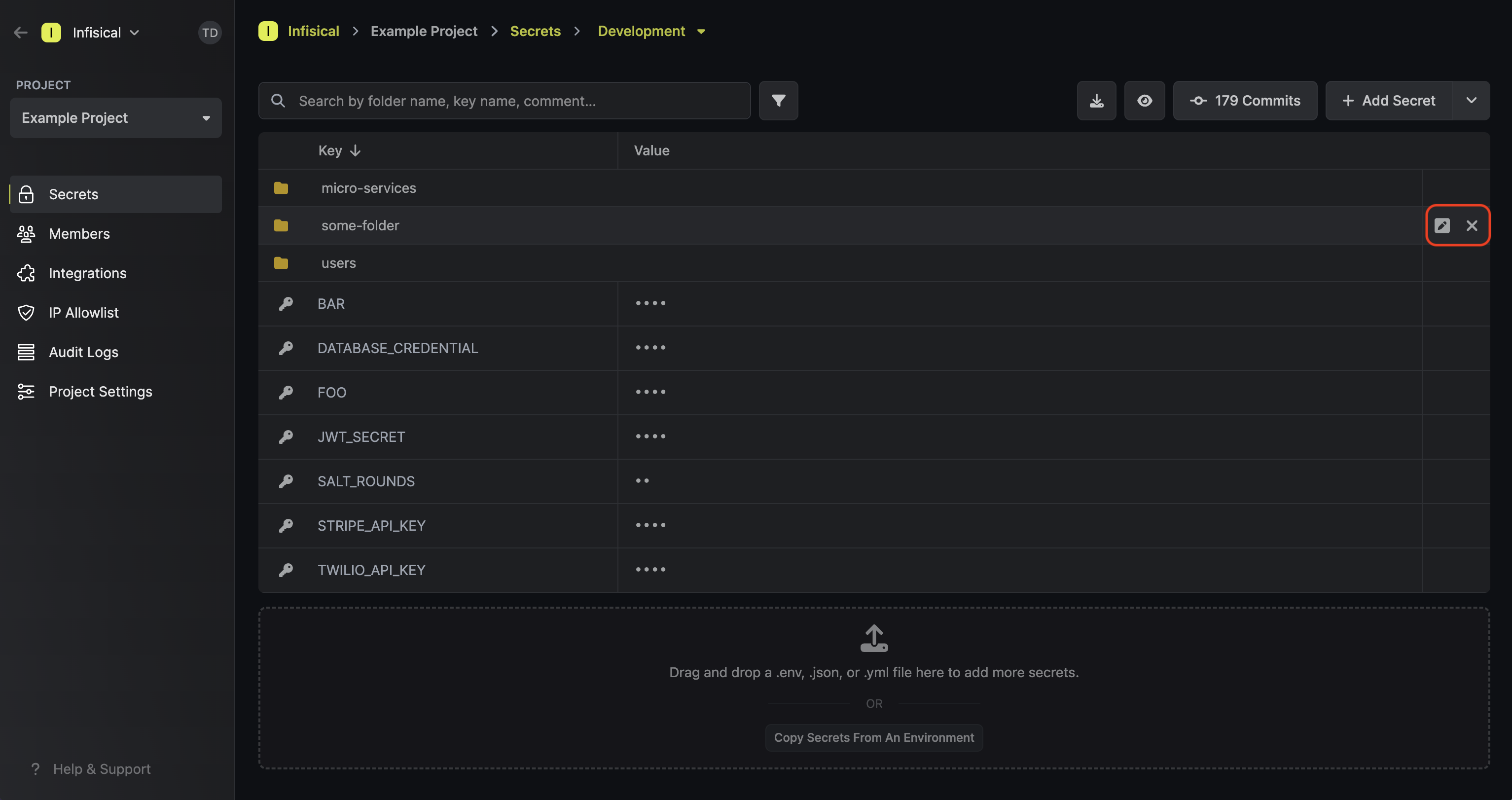
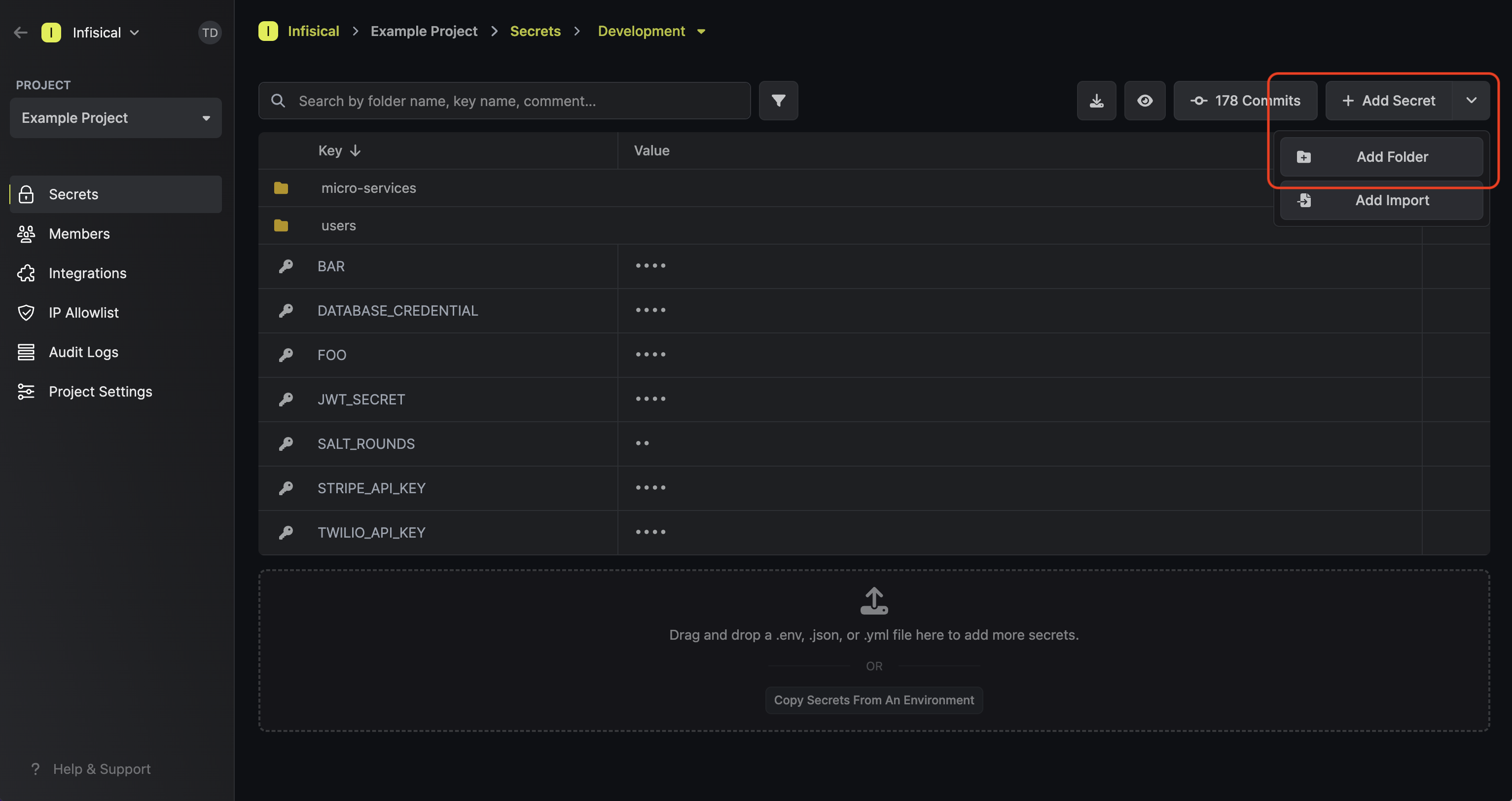 To delete a folder, hover over it and press the **X** button that appears on the right side.
 ### Comparing folders
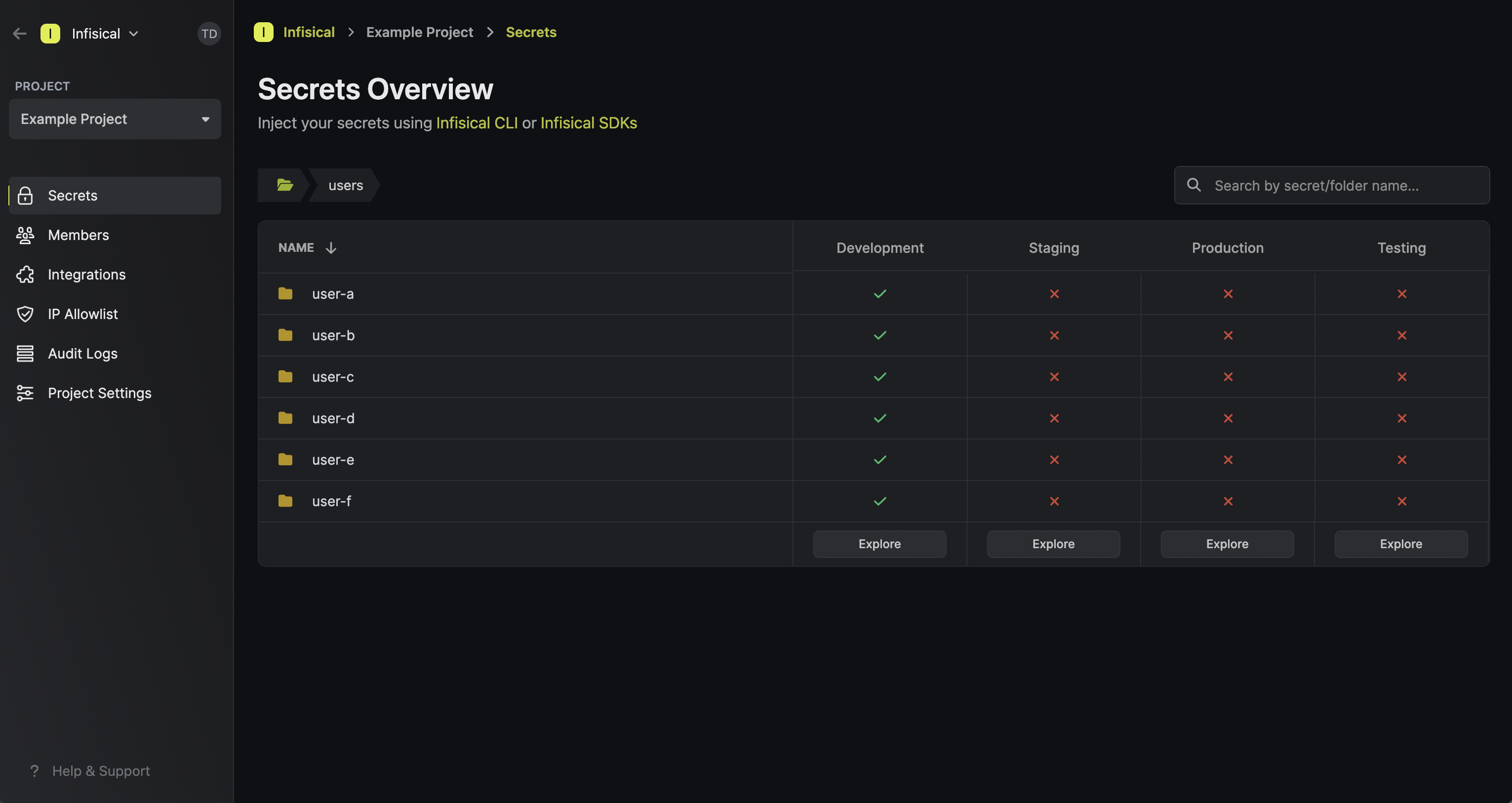
It's possible to compare the contents of folders across environments in the **Secrets Overview** page.
When you click on a folder, the table will display the items within it across environments.
In the image below, you can see that the **Development** environment is the only one that contains items
in the `/users` folder, being other folders `/user-a`, `/user-b`, ... `/user-f`.
### Comparing folders
It's possible to compare the contents of folders across environments in the **Secrets Overview** page.
When you click on a folder, the table will display the items within it across environments.
In the image below, you can see that the **Development** environment is the only one that contains items
in the `/users` folder, being other folders `/user-a`, `/user-b`, ... `/user-f`.
 ### Replicating Folder Contents
If you want to copy secrets or folders from one path to another, you can utilize the **Replicate Secrets** functionality located in the **Add Secret** dropdown.
### Replicating Folder Contents
If you want to copy secrets or folders from one path to another, you can utilize the **Replicate Secrets** functionality located in the **Add Secret** dropdown.
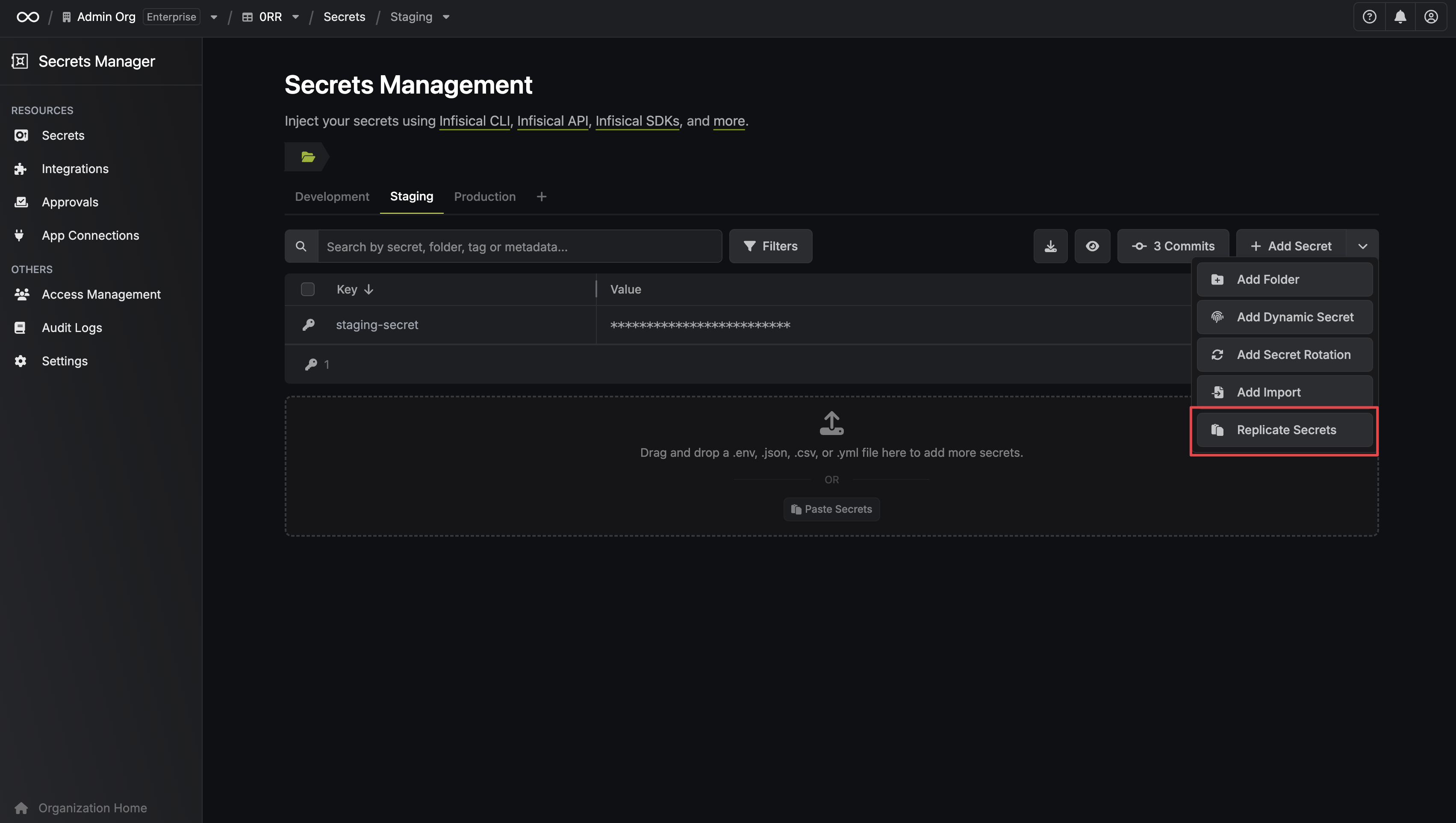
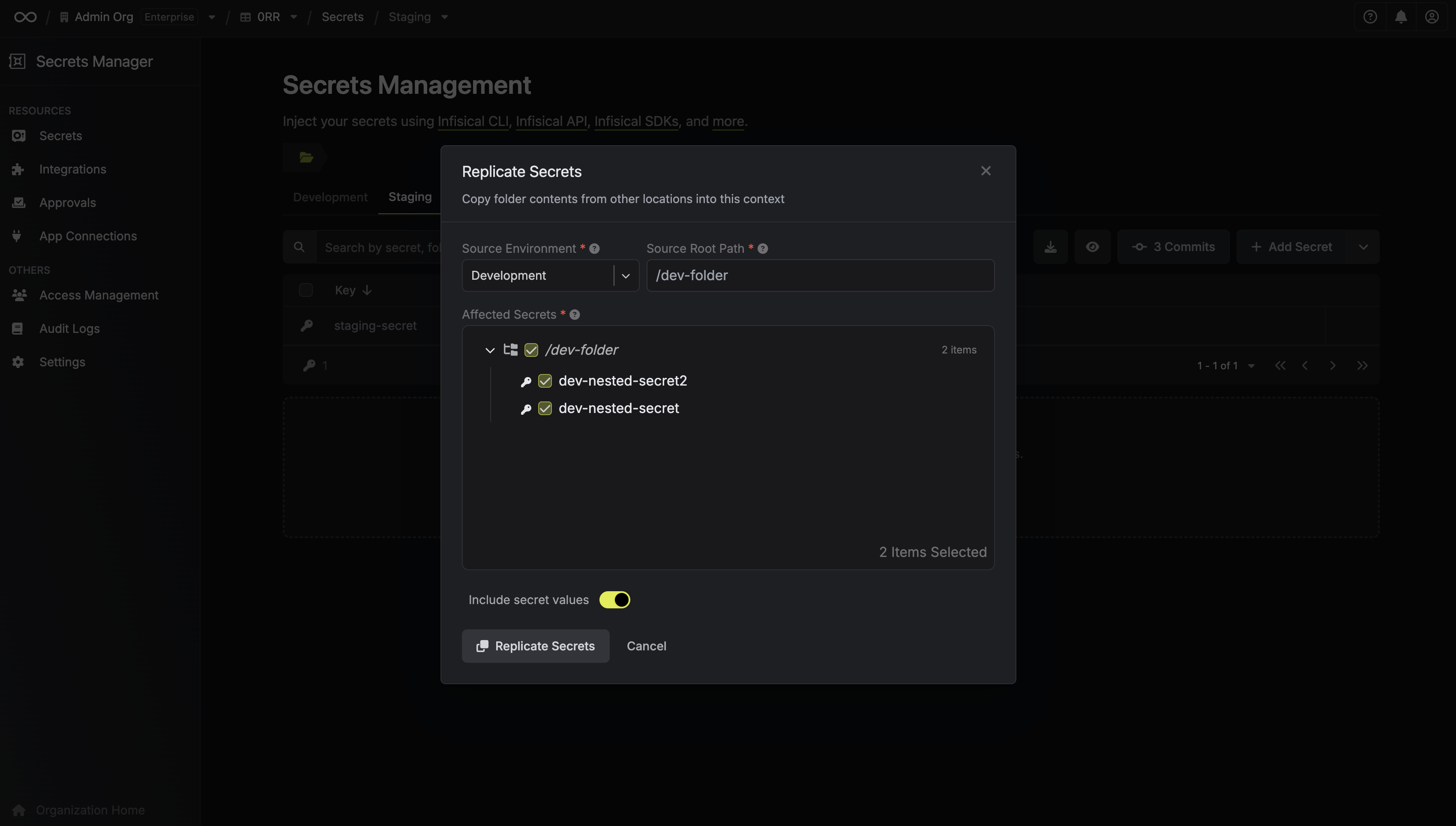 First, select the **Source Environment** and the **Source Root Path** you want to copy secrets *from*. In the example provided, we select `/dev-folder` as the source root path from the Development environment. This means any secrets within `/dev-folder` from Development will be replicated. By default, these secrets are copied into the *currently active* folder/path in your target environment (e.g., the root folder of your Staging environment in this scenario).
As a final step, you can select the specific secrets you wish to copy and then click **Replicate Secrets**.
First, select the **Source Environment** and the **Source Root Path** you want to copy secrets *from*. In the example provided, we select `/dev-folder` as the source root path from the Development environment. This means any secrets within `/dev-folder` from Development will be replicated. By default, these secrets are copied into the *currently active* folder/path in your target environment (e.g., the root folder of your Staging environment in this scenario).
As a final step, you can select the specific secrets you wish to copy and then click **Replicate Secrets**.
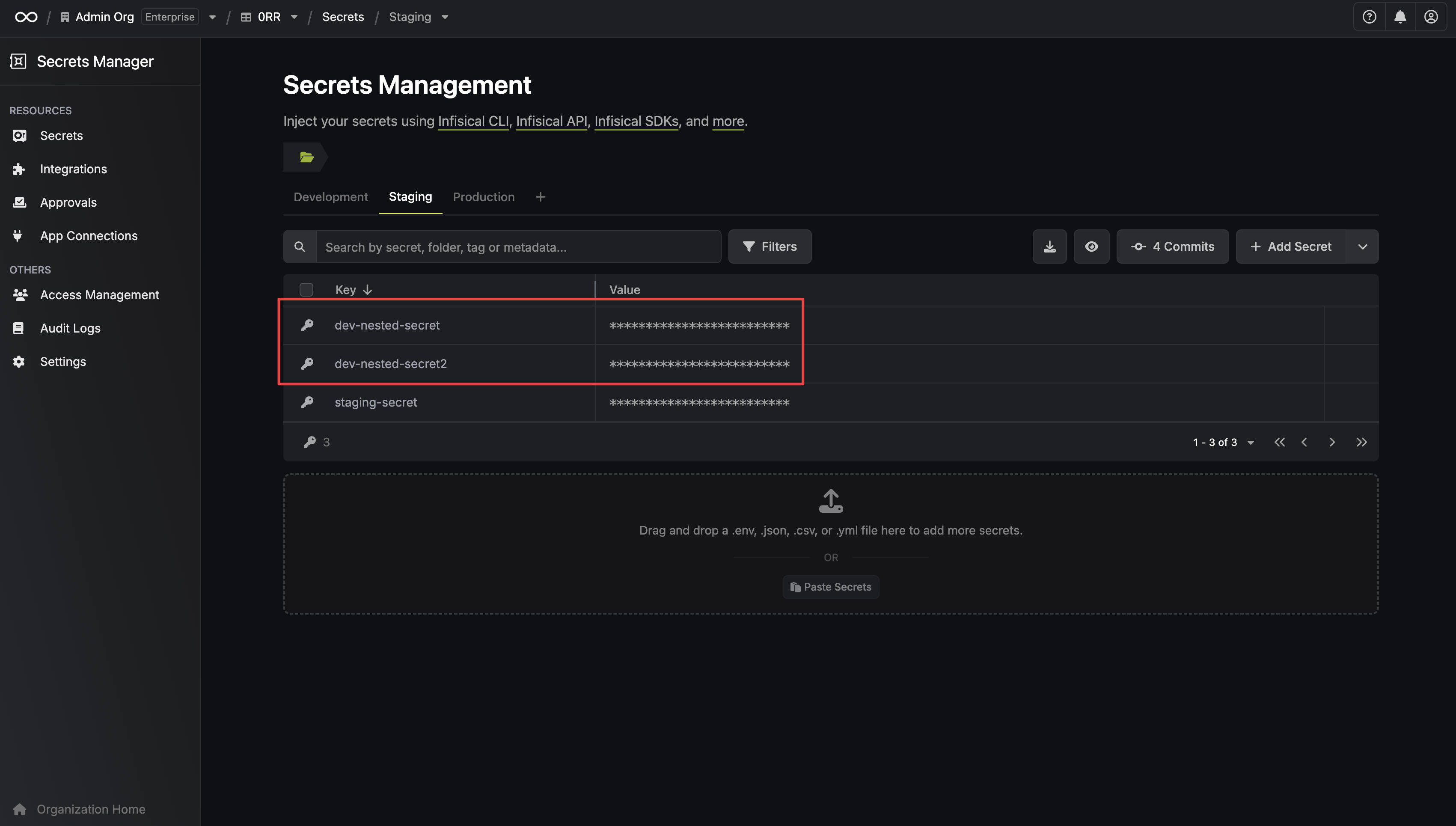 The result shows two secrets successfully copied from the `/dev-folder` in the Development environment into the root folder of the Staging environment.
If you do not select a **Source Root Path**, the replication will consider the contents of the *entire root* of the **Source Environment** (e.g., the Development environment). In this example that would mean copying the `/dev-folder` itself rather than just its contents.
The result shows two secrets successfully copied from the `/dev-folder` in the Development environment into the root folder of the Staging environment.
If you do not select a **Source Root Path**, the replication will consider the contents of the *entire root* of the **Source Environment** (e.g., the Development environment). In this example that would mean copying the `/dev-folder` itself rather than just its contents.