> ## Documentation Index
> Fetch the complete documentation index at: https://infisical-devin-1781641701-docs-github-pat-fine-grained.mintlify.site/llms.txt
> Use this file to discover all available pages before exploring further.
# GitHub
> Learn how to dynamically generate GitHub App tokens.
The Infisical GitHub dynamic secret allows you to generate short-lived tokens for a GitHub App on demand based on service account permissions.
## Setup GitHub App
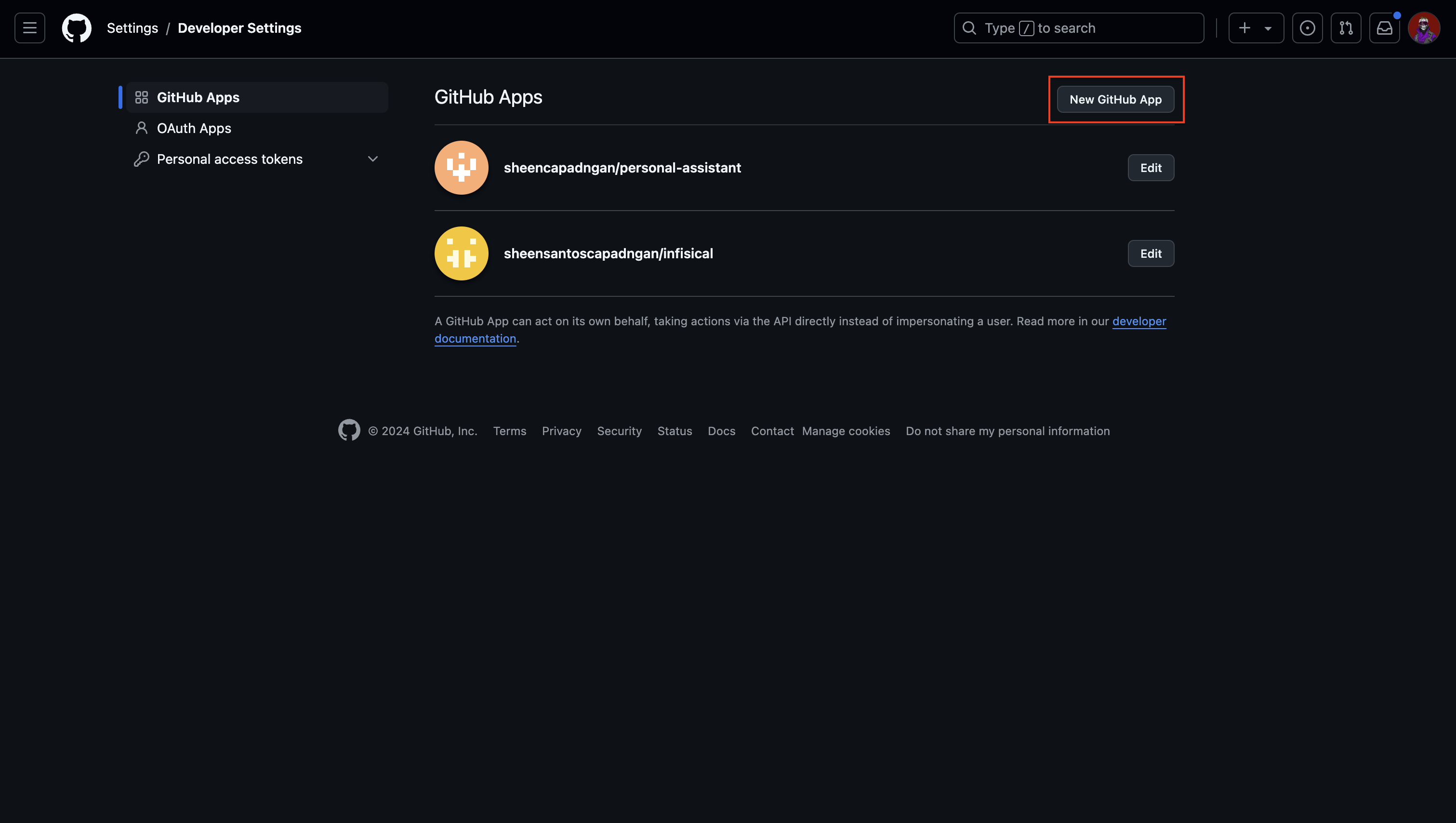
Navigate to [GitHub App settings](https://github.com/settings/apps) and click **New GitHub App**.
 Give the application a name and a homepage URL. These values do not need to be anything specific.
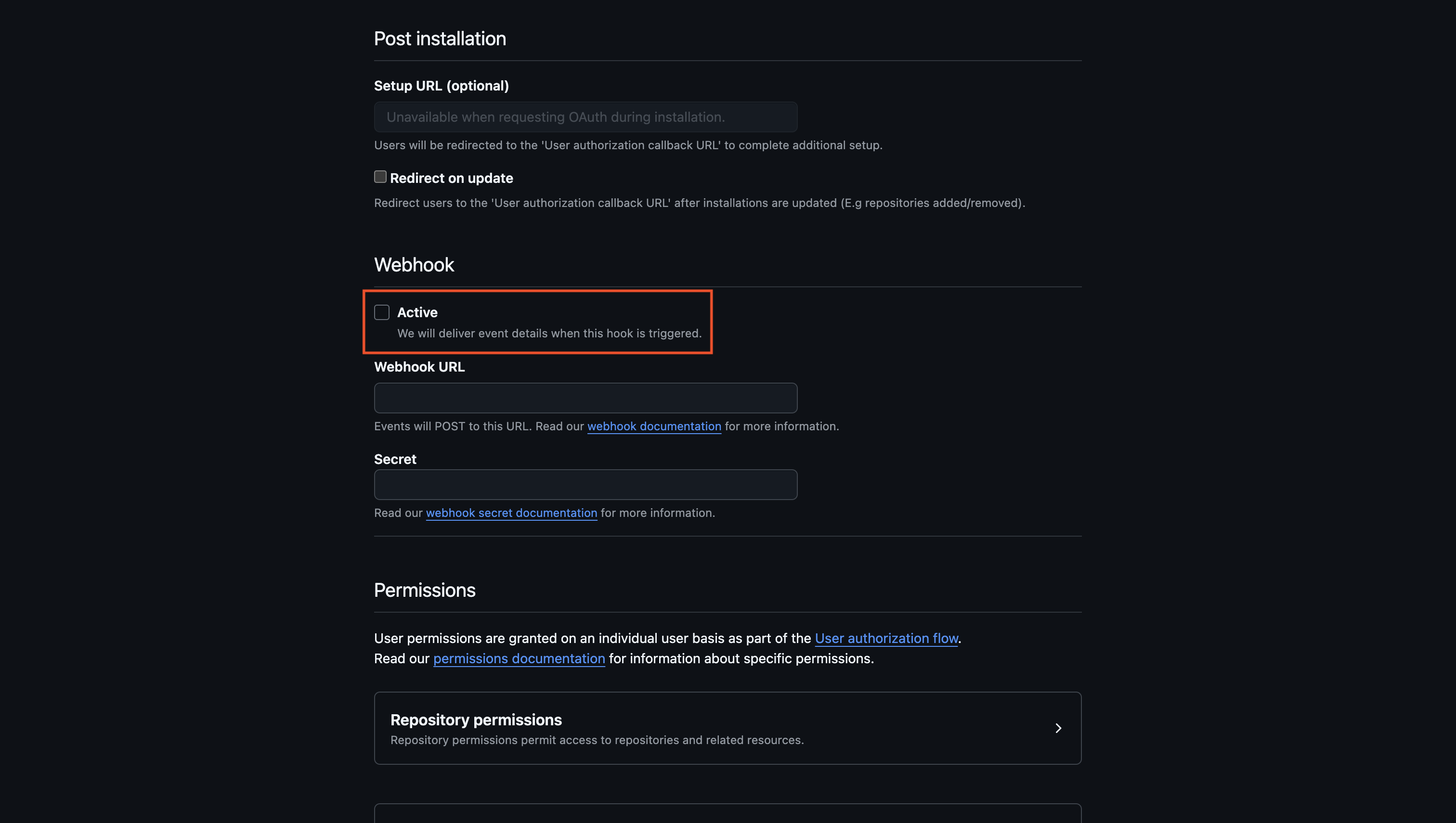
Disable webhook by unchecking the Active checkbox.
Give the application a name and a homepage URL. These values do not need to be anything specific.
Disable webhook by unchecking the Active checkbox.
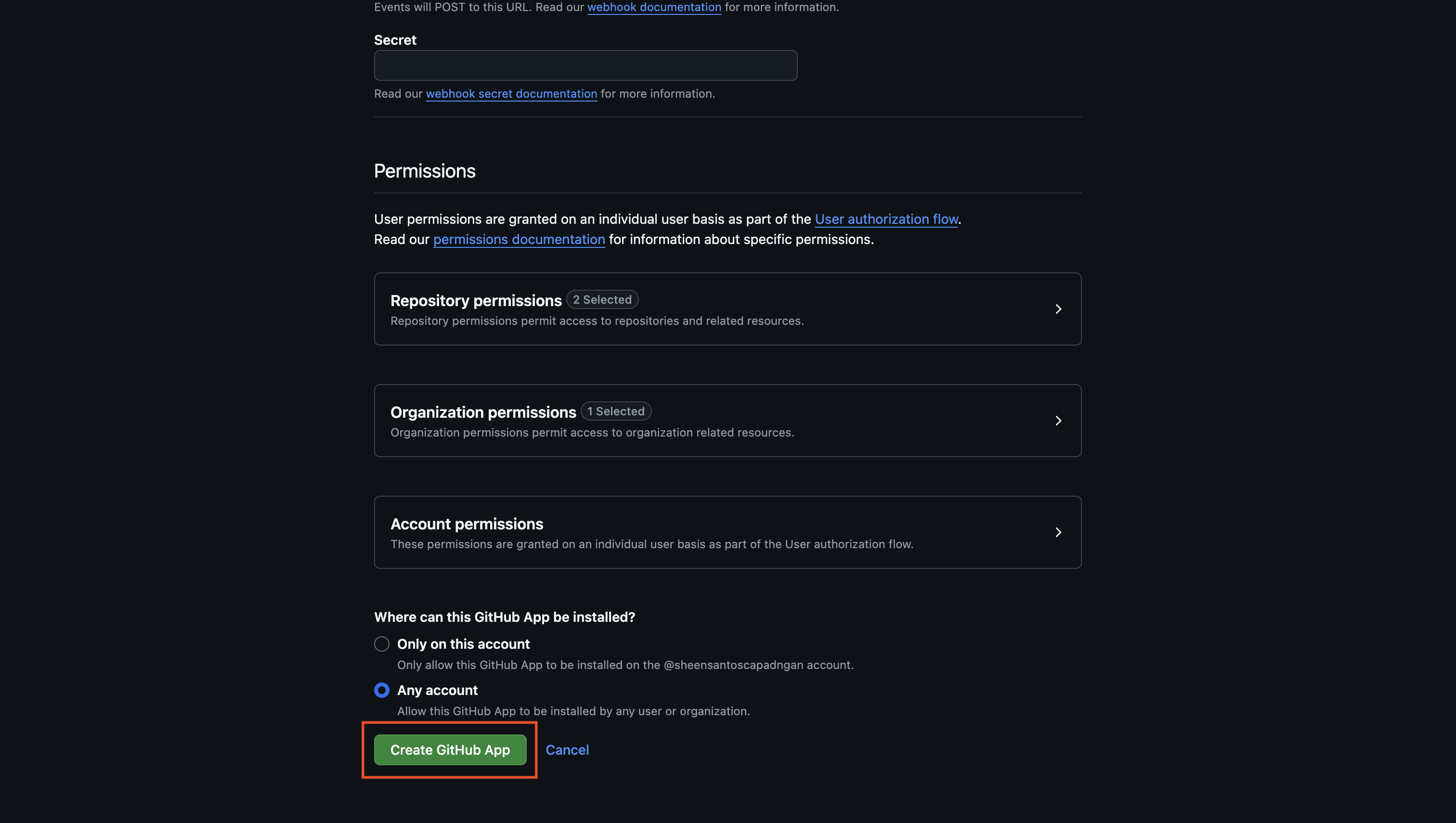
 Configure the app's permissions to grant the necessary access for the dynamic secret's short-lived tokens based on your use case.
Create the GitHub Application.
Configure the app's permissions to grant the necessary access for the dynamic secret's short-lived tokens based on your use case.
Create the GitHub Application.
 If you have a GitHub organization, you can create an application under it
in your organization Settings > Developer settings > GitHub Apps > New GitHub App.
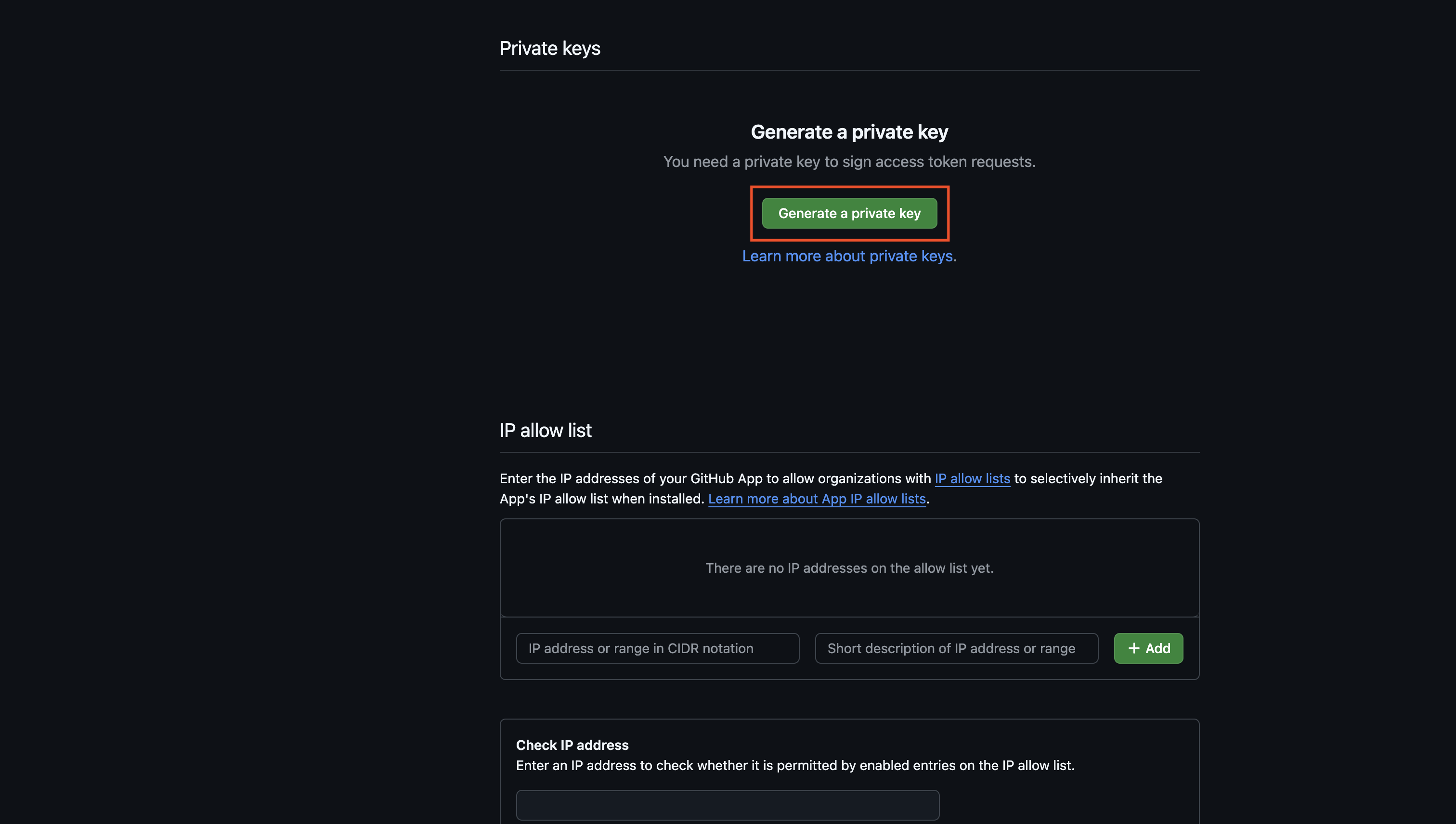
Copy the **App ID** and generate a new **Private Key** for your GitHub Application.
If you have a GitHub organization, you can create an application under it
in your organization Settings > Developer settings > GitHub Apps > New GitHub App.
Copy the **App ID** and generate a new **Private Key** for your GitHub Application.
 Save these for later steps.
Install your application to whichever repositories and organizations that you want the dynamic secret to access.
Save these for later steps.
Install your application to whichever repositories and organizations that you want the dynamic secret to access.
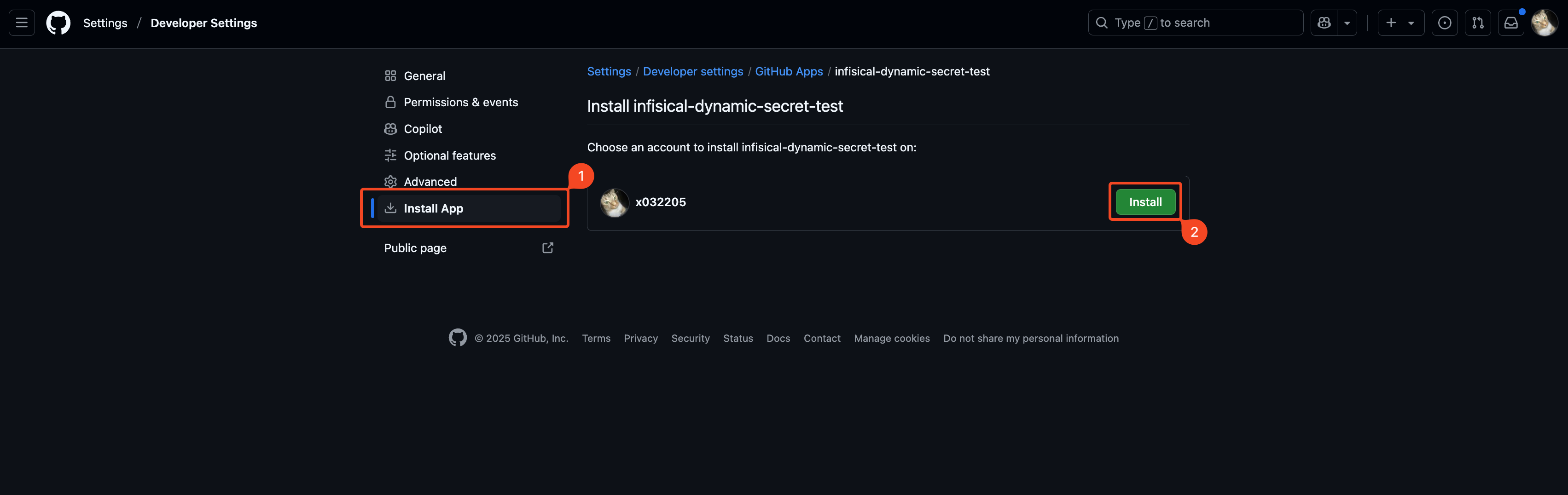
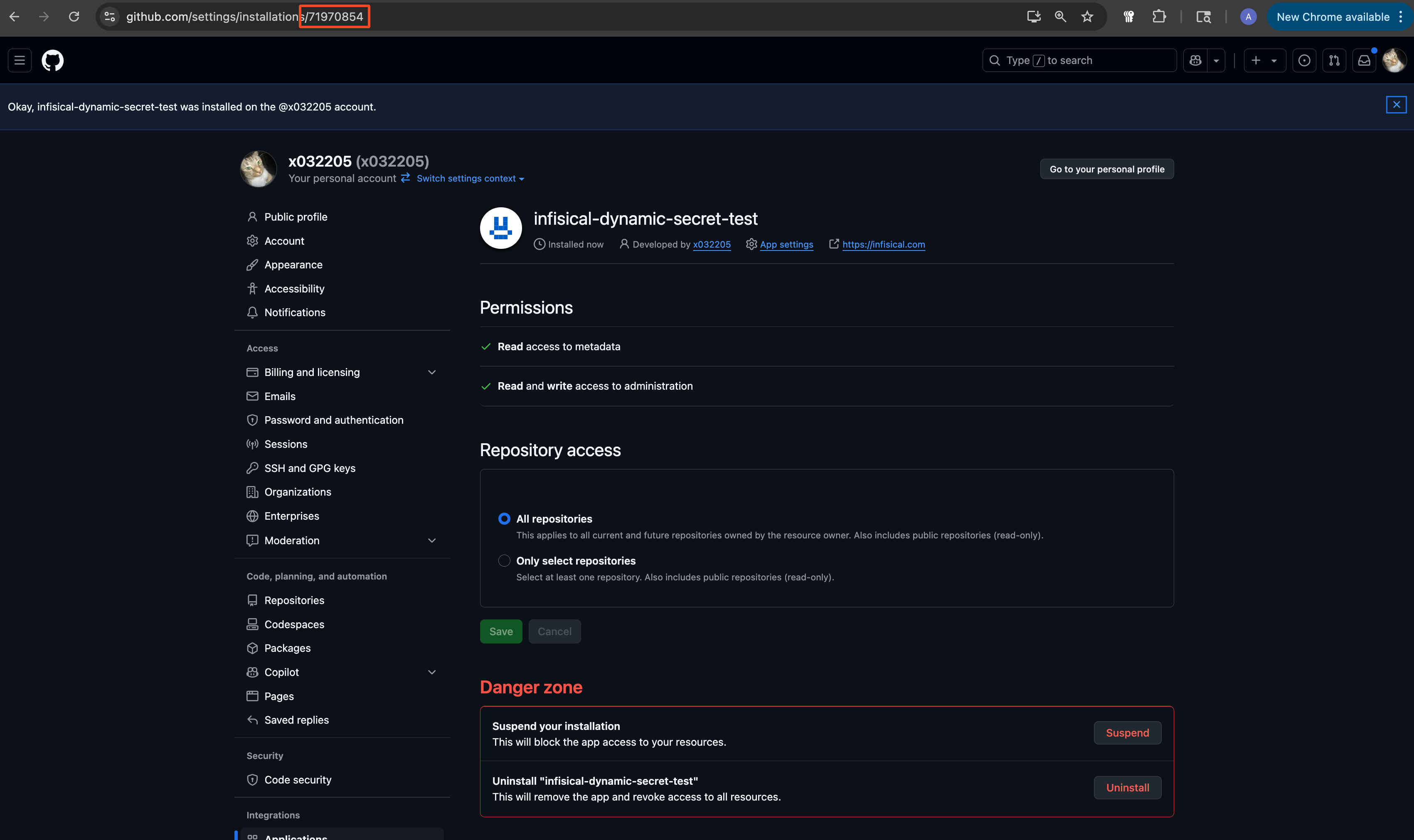
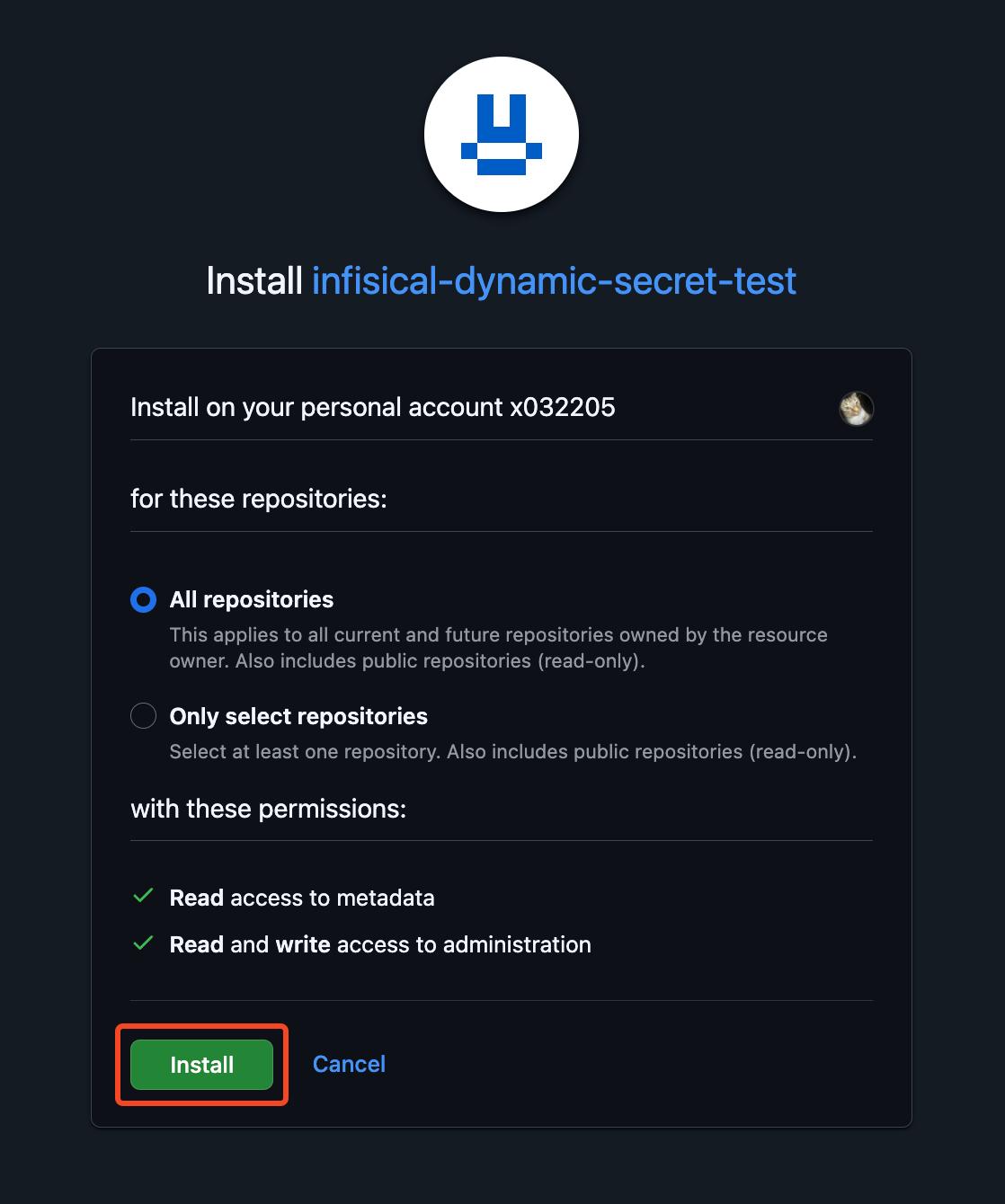 Once you've installed the app, **copy the installation ID** from the URL and save it for later steps.
 ## Set up Dynamic Secrets with GitHub
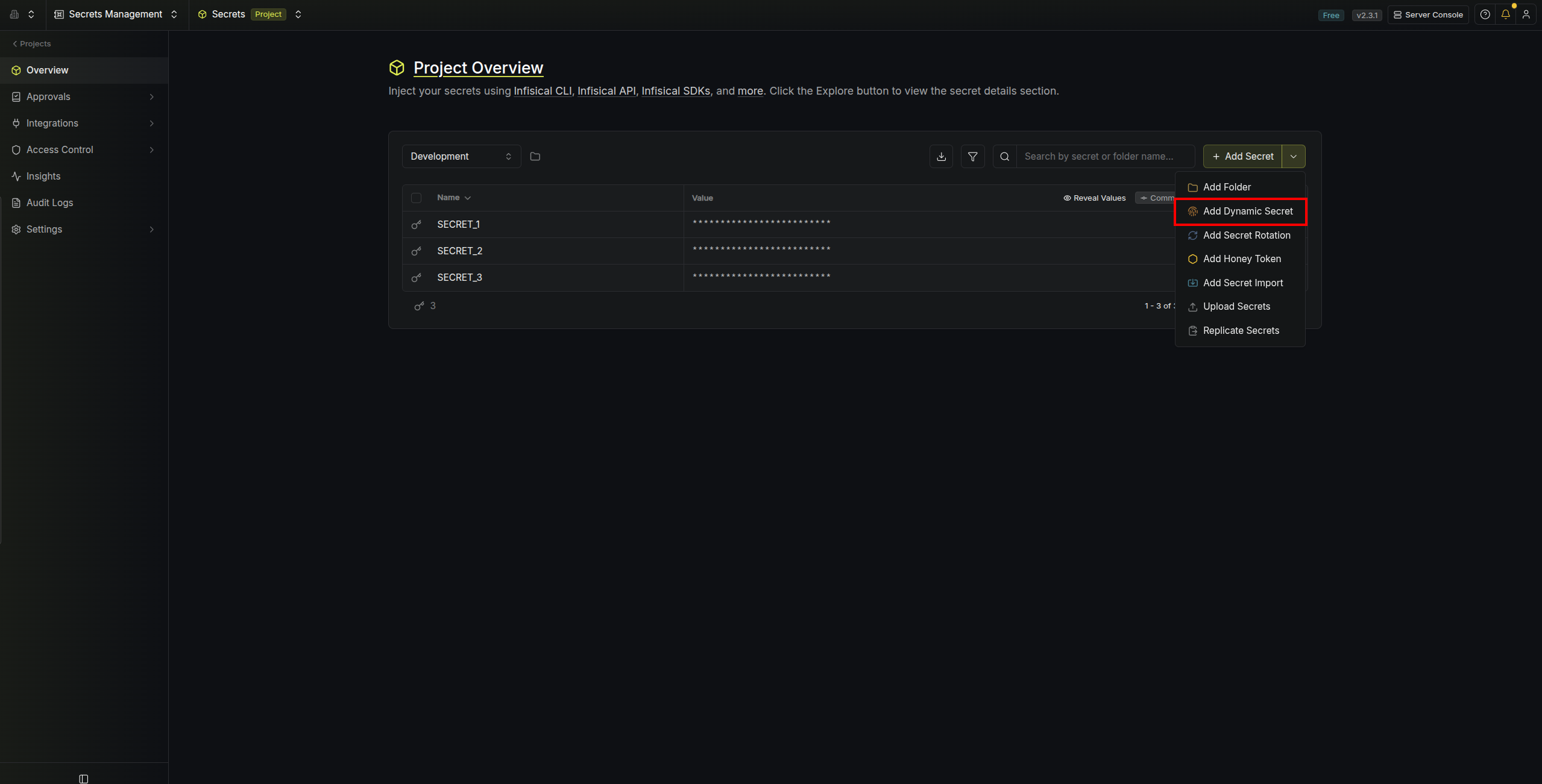
Open the Secret Overview dashboard and select the environment in which you would like to add a dynamic secret.
## Set up Dynamic Secrets with GitHub
Open the Secret Overview dashboard and select the environment in which you would like to add a dynamic secret.
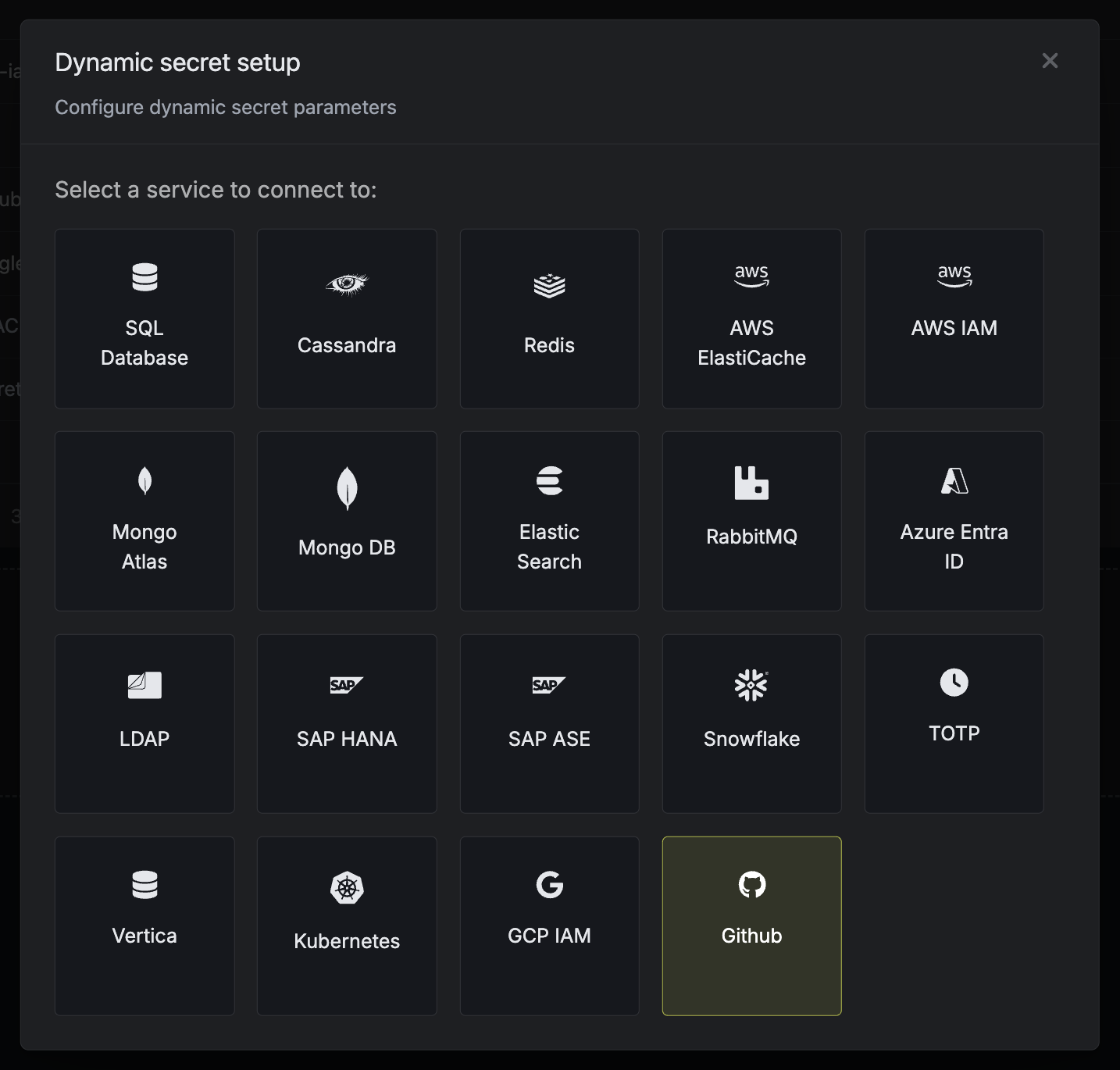 Name by which you want the secret to be referenced
The ID of the app created in earlier steps.
The Private Key of the app created in earlier steps.
The ID of the installation from earlier steps.
After submitting the form, you will see a dynamic secret created in the dashboard.
Once you've successfully configured the dynamic secret, you're ready to generate on-demand credentials.
To do this, simply click on the 'Generate' button which appears when hovering over the dynamic secret item.
Alternatively, you can initiate the creation of a new lease by selecting 'New Lease' from the dynamic secret lease list section.
Name by which you want the secret to be referenced
The ID of the app created in earlier steps.
The Private Key of the app created in earlier steps.
The ID of the installation from earlier steps.
After submitting the form, you will see a dynamic secret created in the dashboard.
Once you've successfully configured the dynamic secret, you're ready to generate on-demand credentials.
To do this, simply click on the 'Generate' button which appears when hovering over the dynamic secret item.
Alternatively, you can initiate the creation of a new lease by selecting 'New Lease' from the dynamic secret lease list section.
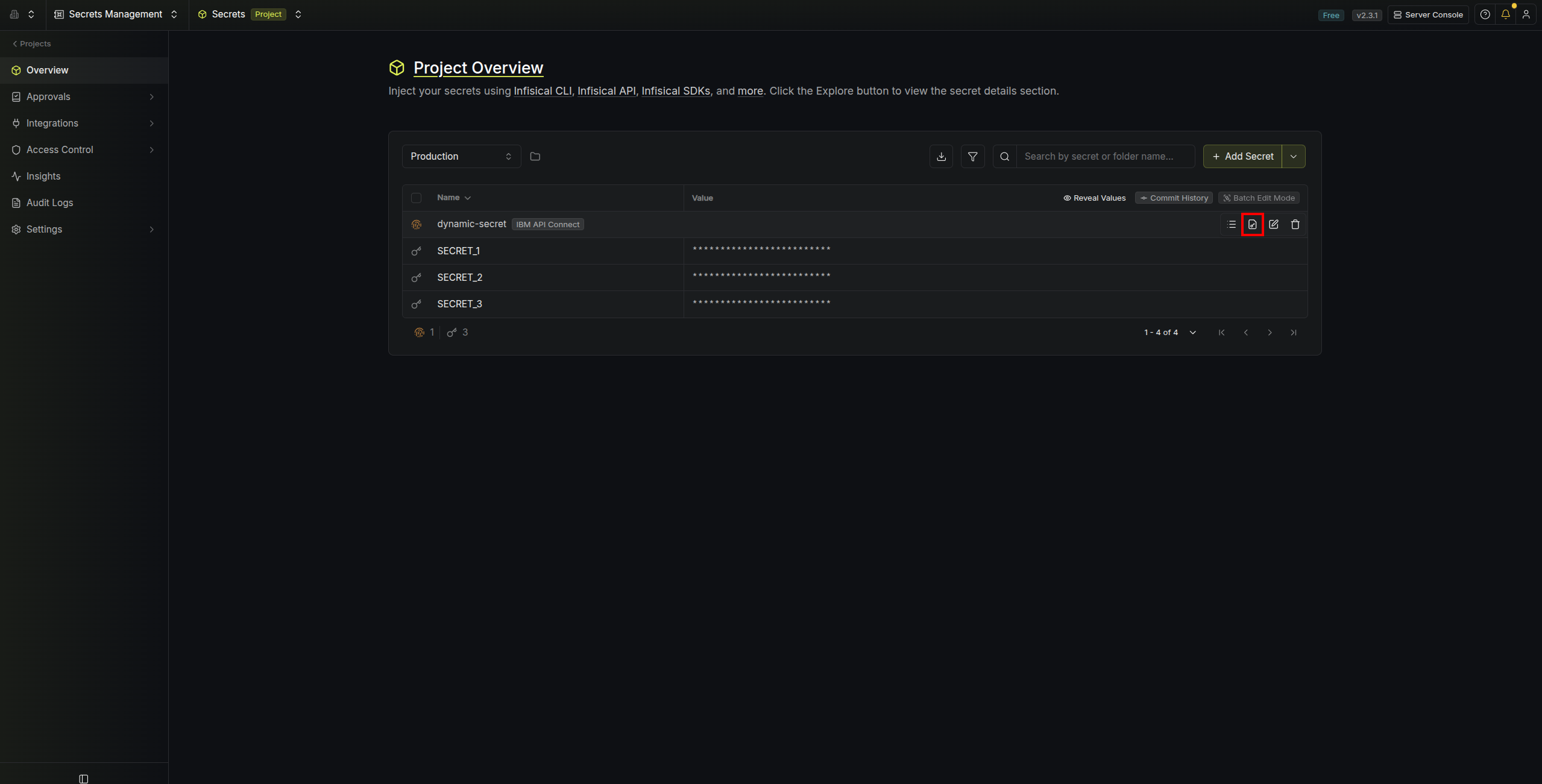
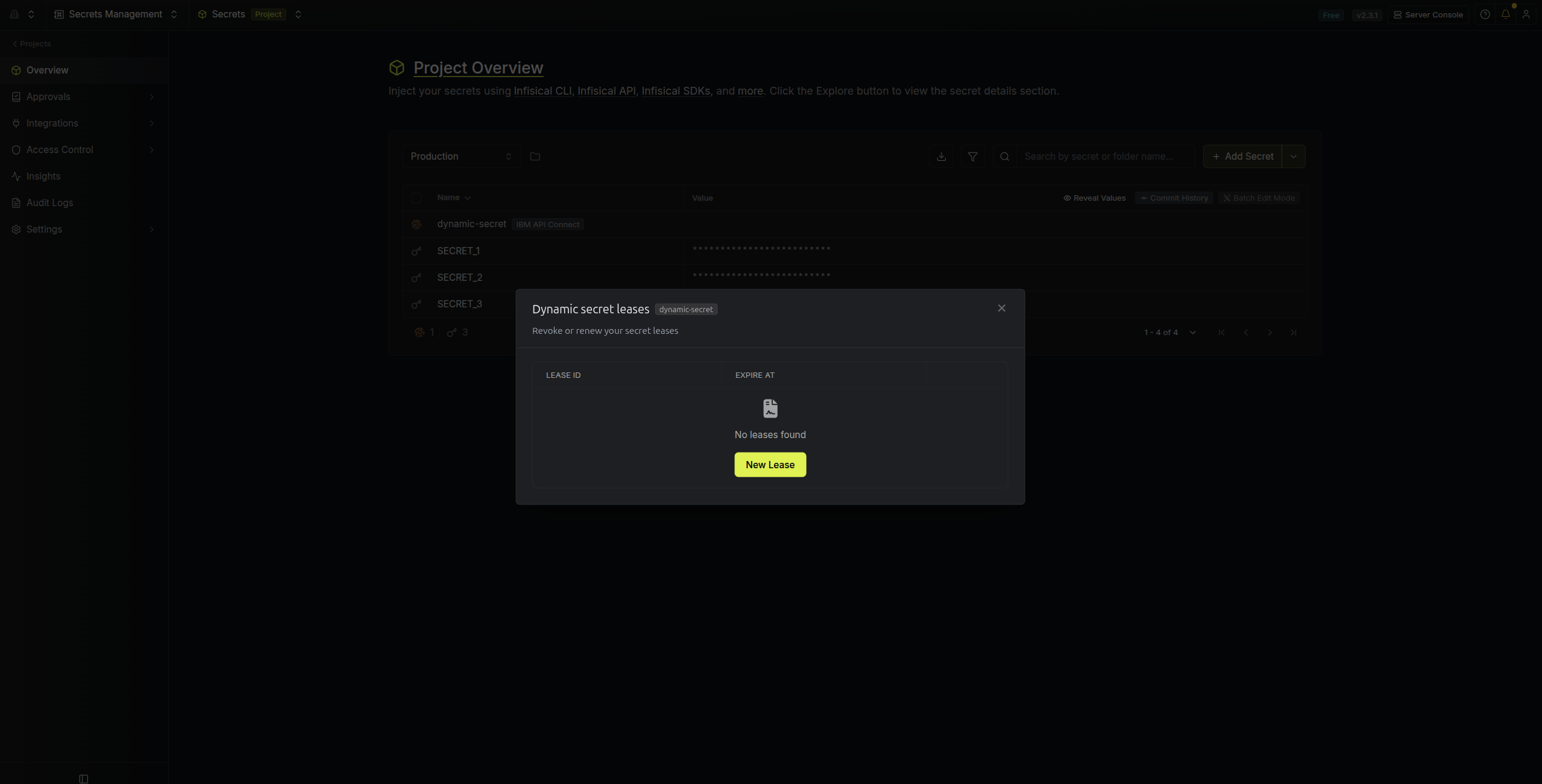 When generating these secrets, the TTL will be fixed to 1 hour.
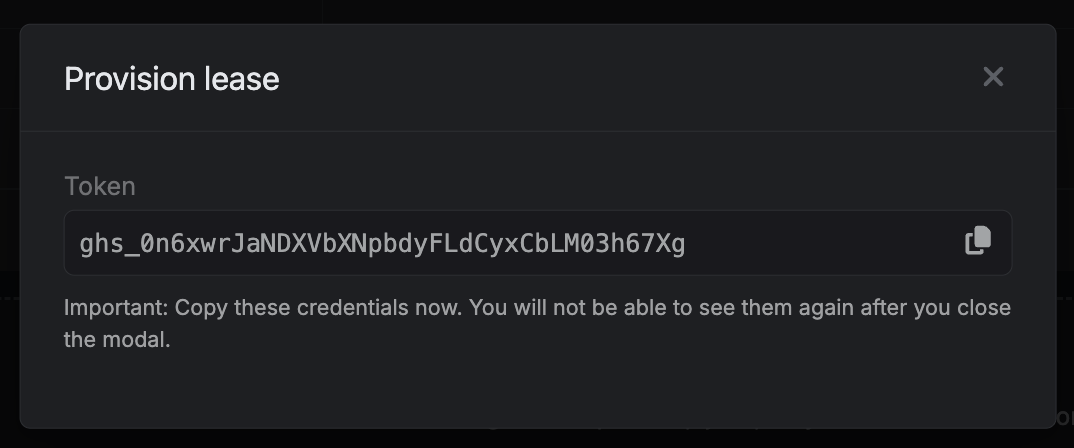
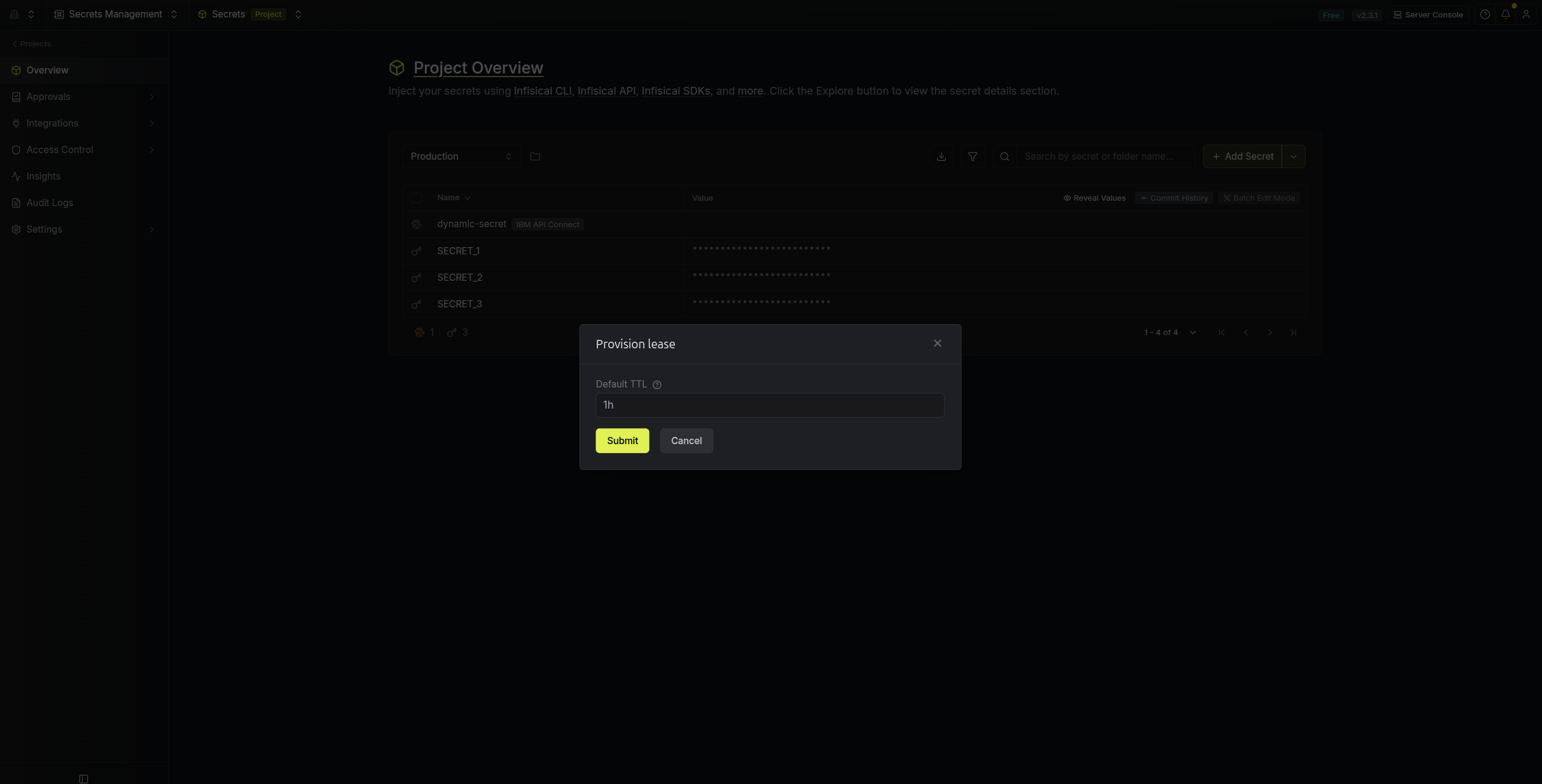 Once you click the `Submit` button, a new secret lease will be generated and the credentials from it will be shown to you.
 ## Audit or Revoke Leases
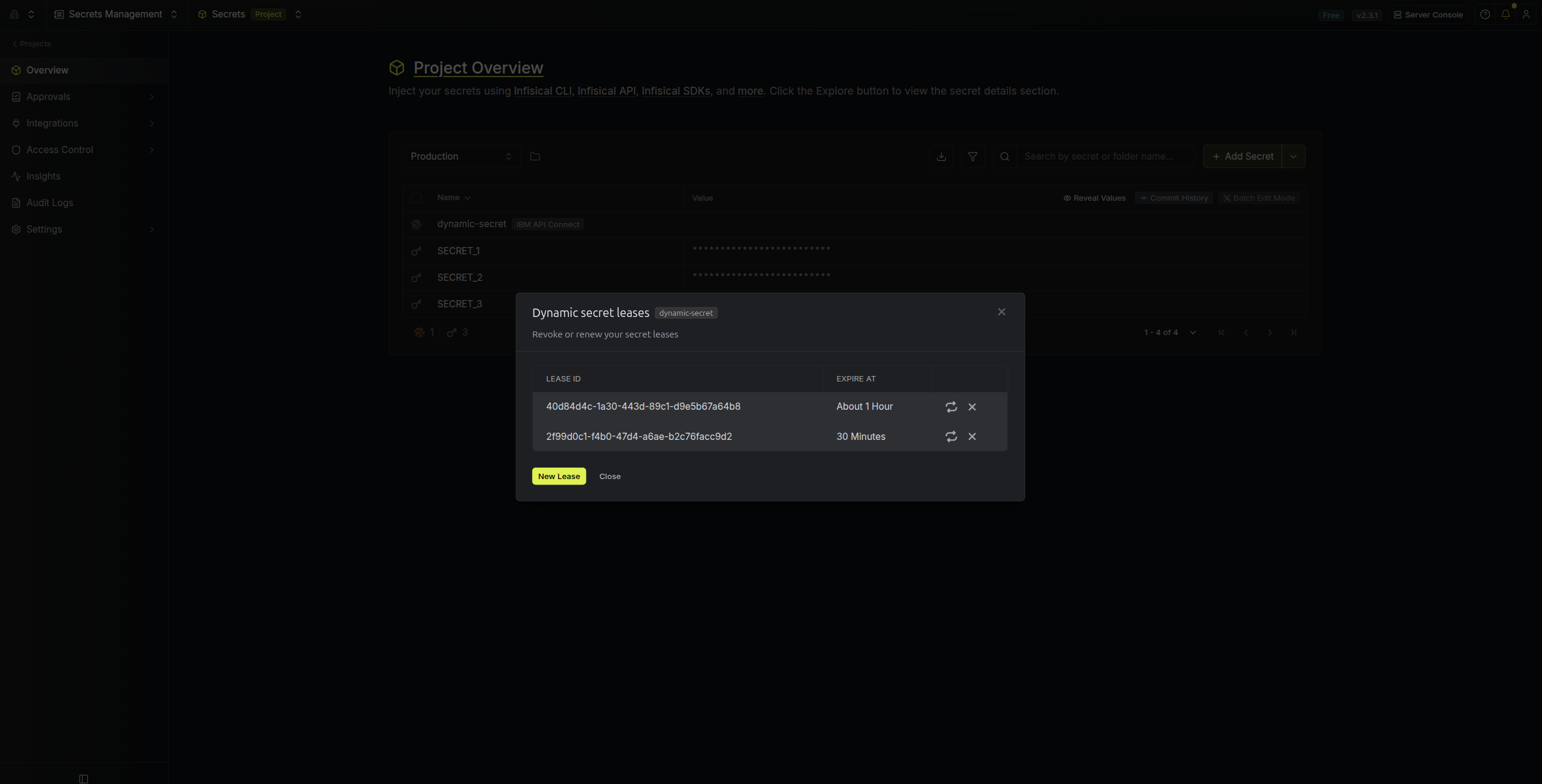
Once you have created one or more leases, you will be able to access them by clicking on the respective dynamic secret item on the dashboard.
This will allow you to see the expiration time of the lease or delete a lease before its set time to live.
## Audit or Revoke Leases
Once you have created one or more leases, you will be able to access them by clicking on the respective dynamic secret item on the dashboard.
This will allow you to see the expiration time of the lease or delete a lease before its set time to live.
 GitHub App tokens cannot be revoked. As such, revoking a token on Infisical does not invalidate the GitHub token; it remains active until it expires.
## Renew Leases
GitHub App tokens cannot be renewed because they are fixed to a lifetime of 1 hour.
GitHub App tokens cannot be revoked. As such, revoking a token on Infisical does not invalidate the GitHub token; it remains active until it expires.
## Renew Leases
GitHub App tokens cannot be renewed because they are fixed to a lifetime of 1 hour.